
Every student, parent and coach. One complete record.
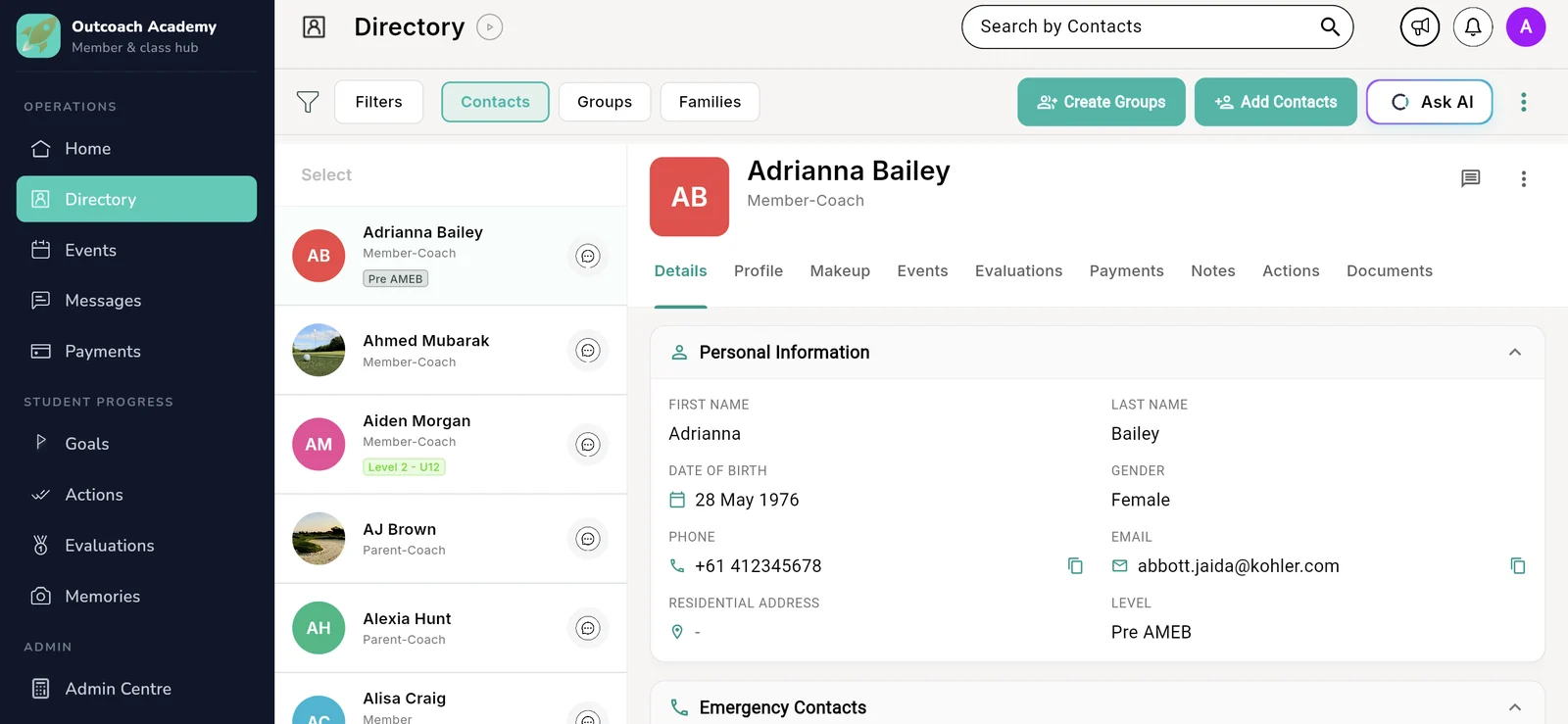
Outcoach is the CRM built for coaching businesses. Every profile shows the classes they’ve attended, what they’ve paid, how they’re progressing, their medical and emergency details, and the documents that matter. On the web and in the app, always in sync.
You shouldn’t need six places to answer one parent’s question.
Most coaching businesses keep student information wherever it landed first. Phone contacts, paper forms, spreadsheets, group chats. Outcoach puts it all on one profile, so the answer is always one tap away.
- Phone numbers saved in your personal phone
- Medical forms in a folder at the club
- Attendance in a paper register
- Fees tracked in a spreadsheet
- Coaches’ WWCC copies lost in someone’s inbox
- Progress notes stuck in your head
Six places to check, and the one you need is never with you.
Open a profile. Everything about that person is right there, on your laptop or your phone.
- Classes, lessons and attendance
- Invoices, payments and credit
- Medical and emergency details
- Evaluations, notes and documents
Open one profile. See the whole relationship.
Every profile pulls from the rest of Outcoach, so nothing gets typed twice. Book a class and it shows in Events. Send an invoice and it lands in Payments. Record an evaluation and it’s on their file for good.
Events attended
Every class and one-off event they’ve been booked into, past and upcoming.
Events · MakeupLessons and makeups
Group classes, private lessons and makeup credits, side by side.
PaymentsPayments made
Every invoice, what’s been paid, what’s due and any account credit.
EvaluationsEvaluations
Dated assessments and coach comments that show real progress.
DocumentsDocuments and checks
Working with children checks, accreditations, certificates and forms.
DetailsEmergency contacts
Who to call, and how, if something happens mid-session.
DetailsMedical information
Allergies, injuries and medical notes, recorded before day one.
Details · FamiliesParents and family
Primary parent, siblings and the whole family, linked together.
Everything you need to know, a tab away.
Here’s what you’ll find on every student, parent and coach profile, and how it saves you from digging.
Every class, lesson and event they’ve been booked into.
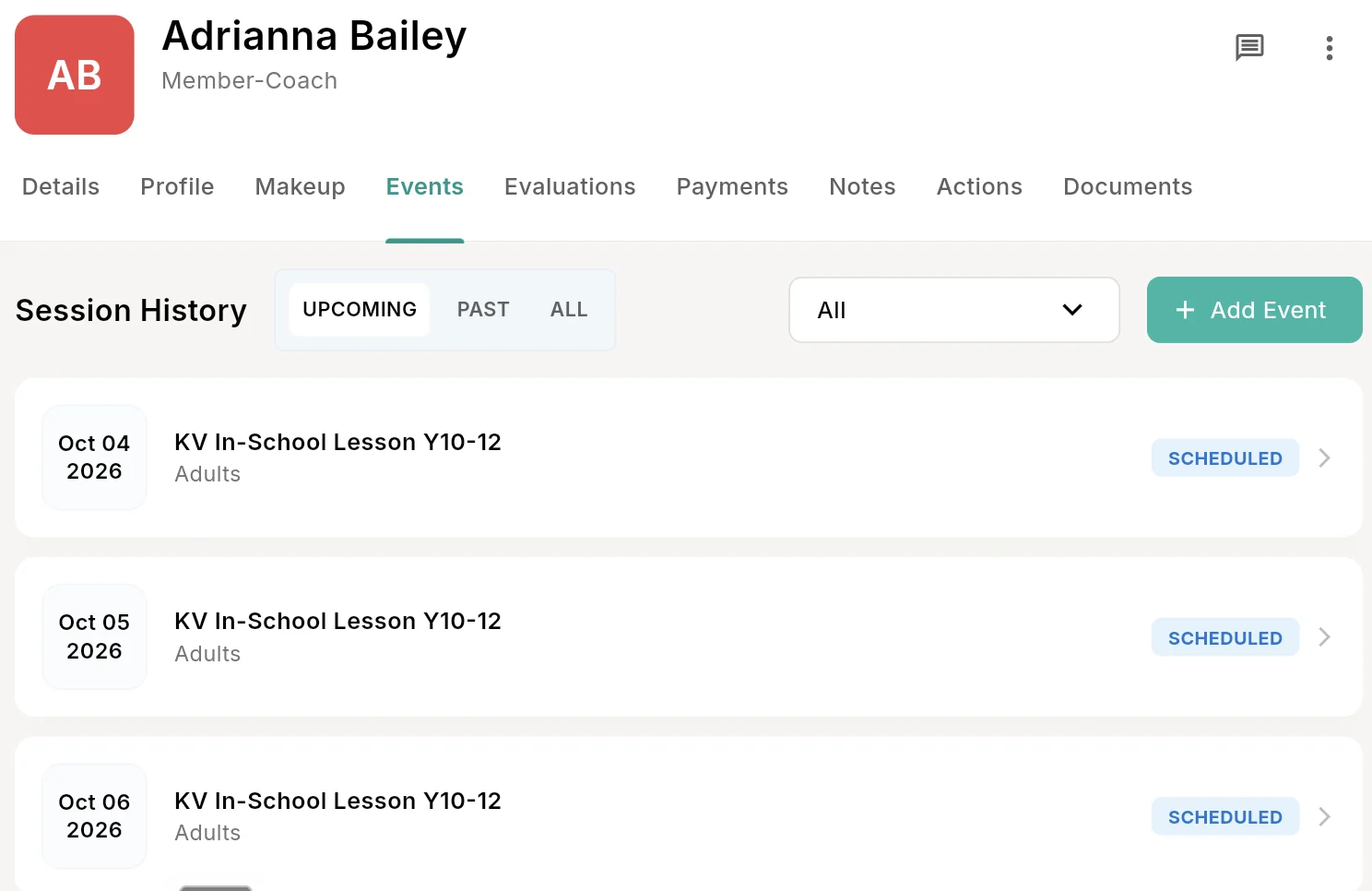
The Events tab lists each session a student is booked into, upcoming or past. Group classes, private lessons and in-school programs sit together, and makeup credits have their own tab.
- 1Upcoming, past or allSee what’s next, or look back over the whole term.
- 2Filter by event typeNarrow it to classes, private lessons or one-off events.
- 3Book them in from the profileAdd an event without leaving the page.
- 4Status on every sessionKnow at a glance what’s scheduled.
 1
2
3
4
1
2
3
4
What they’ve paid, and what’s still owed.
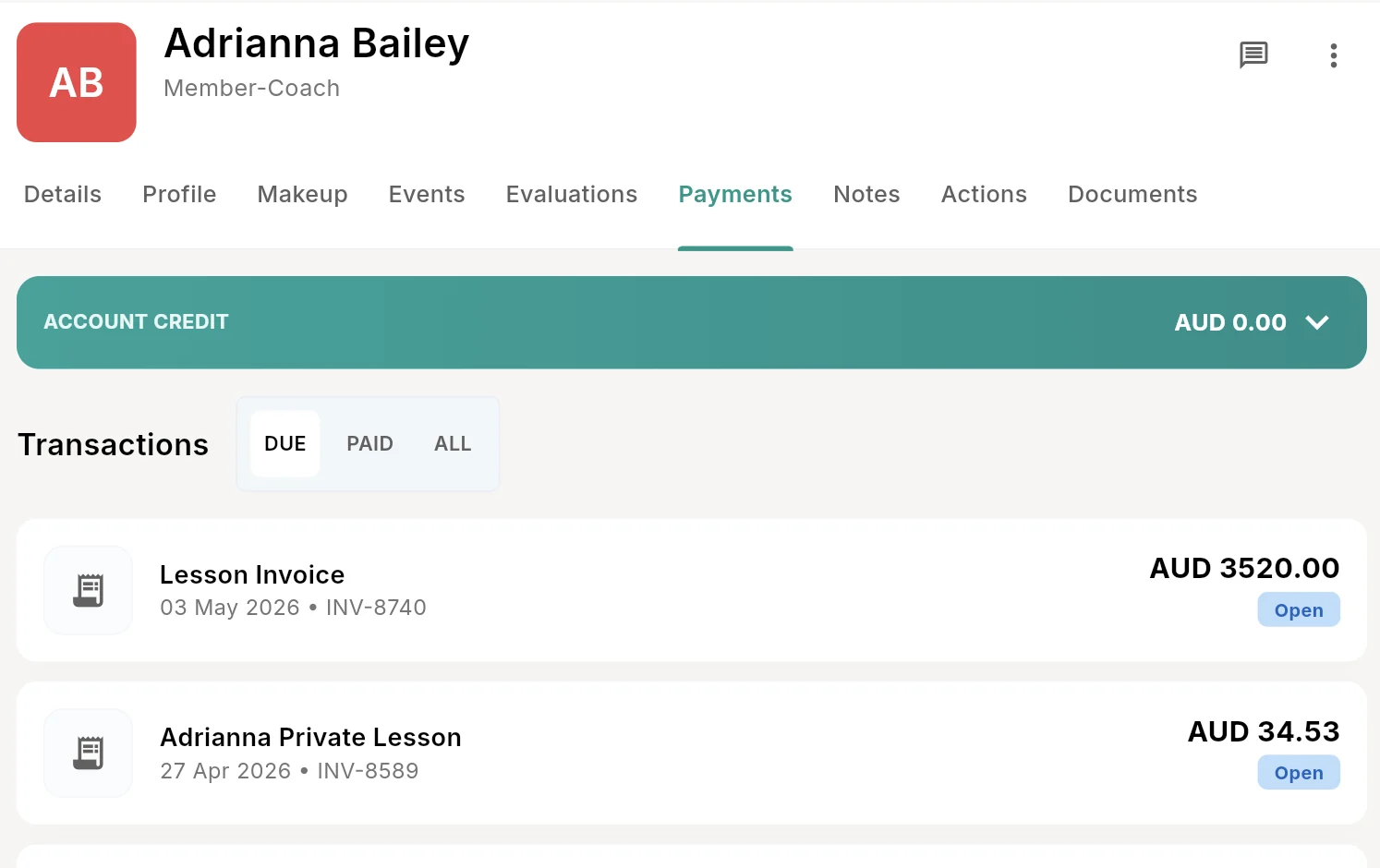
Every invoice for that person, with their account credit up top. Answer a parent’s billing question in seconds, without opening a spreadsheet.
- 1Account creditCredit from refunds or overpayments, ready to use.
- 2Due, paid or allJump to the invoices that need attention.
- 3Every invoice, dated and numberedA full billing history, ready for any query.
- 4Open or paid, always currentStatus updates the moment a family pays.
 1
2
3
4
1
2
3
4
Progress you can show, not just describe.
Coaches record evaluations against each student, so progress is written down, dated and easy to share at the end of term. No more relying on memory when a parent asks how their child is going.
- Dated evaluations by coachEvery assessment, who made it and when.
- Scores and comments togetherThe numbers and the context behind them.
- Levels on the profileSee where each student sits, and how far they’ve come.
- Pairs with GoalsSet the next target straight from an evaluation.
Big step up this term. Technique holds up much better under pressure. Next focus: consistency in match play.
WWCC, certifications and accreditations, filed where they belong.
Keep each coach’s working with children check, accreditations and first aid certificates on their own profile. When you need to show proof or check who’s covered, it’s one click away, not a search through old emails.
- Compliance checks per coachWorking with children and police checks, stored safely.
- Certifications and accreditationsCoaching levels, first aid and CPR, all in one list.
- Student forms tooEnrolment forms and consent sit on the student’s profile.
- Find any file in secondsOpen the profile, open Documents, done.
Medical and emergency details, before you need them.
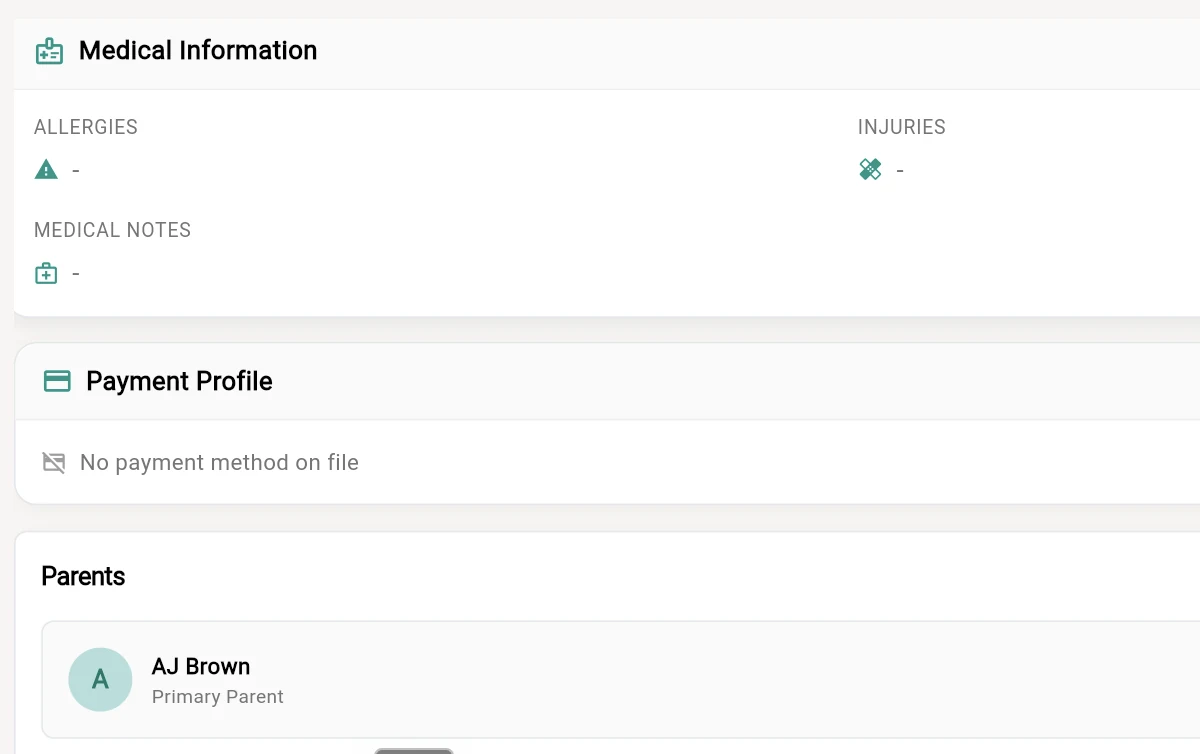
Allergies, injuries and medical notes sit on the profile alongside emergency contacts and linked parents. If something happens mid-session, the right information and the right phone number are a tap away.
- 1AllergiesRecorded up front, not discovered on the day.
- 2InjuriesKnow what to work around before the session starts.
- 3Medical notesAnything else your coaches should know.
- 4Parents and emergency contactsThe primary parent is linked, with emergency contacts on the Details tab.
 1
2
3
4
1
2
3
4
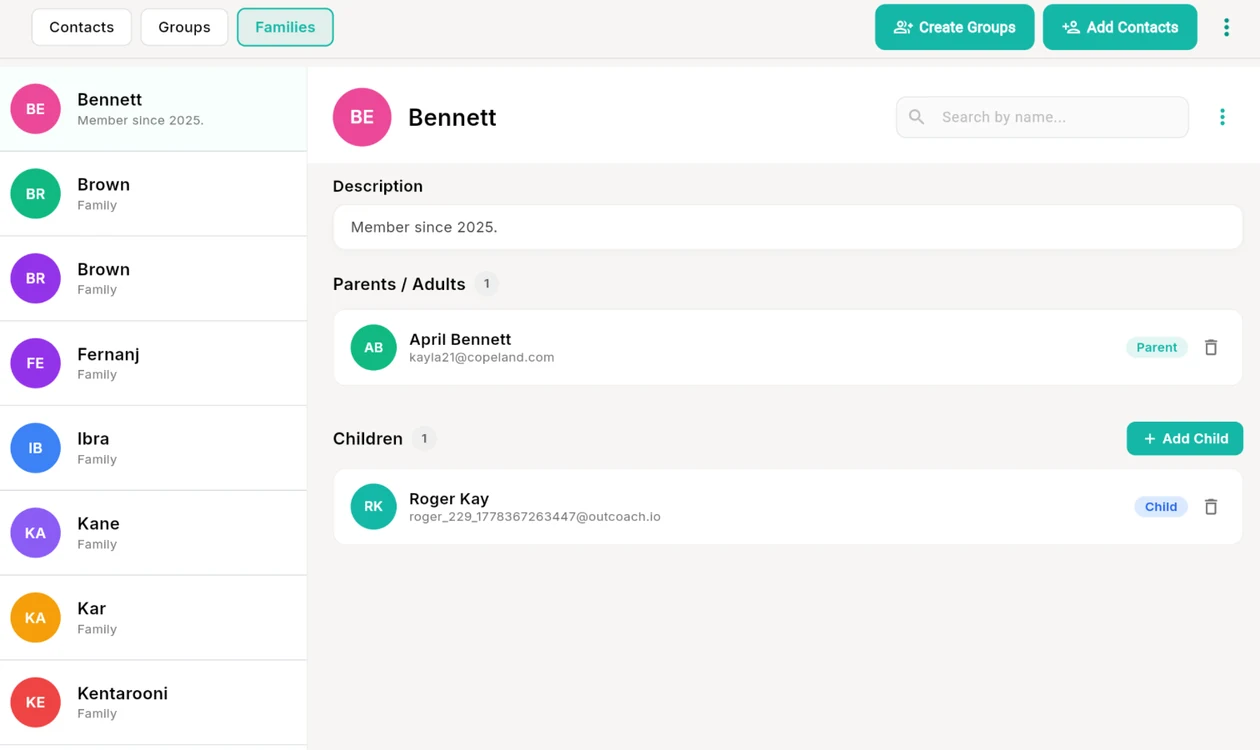
Link parents, children and siblings into one family.
Create a family once and every parent and child is connected. Parents see all their kids in one app, and you always know who to call about whom.
- 1Contacts, Groups and FamiliesThree ways to look at the same people.
- 2Parents and adultsEvery adult in the family, with their contact details.
- 3Add every childSiblings sit together under the same family.
- 4Groups for squads and classesBundle people together for messages and invoicing.
 1
2
3
4
1
2
3
4
A CRM that knows how coaching works.
Generic CRMs are built for sales teams. Outcoach is built around students, families, coaches and classes, so it fits the way you already run things.
Contacts, groups and families
Three views of the same people. Switch between them in one click.
Roles that match real life
Member, parent, coach, or both at once, like Member-Coach or Parent-Coach.
Levels on every student
Tag each student with their level, like Pre AMEB or Level 2 - U12.
Private coaching notes
Keep notes on any profile, so the next coach knows what you know.
Actions and follow-ups
To do, in progress and done, tracked against each person.
Message from any profile
Start a chat with a student, parent or coach without leaving their record.
Messaging →Free bulk SMS and announcements
Message a whole group at once. We cover the SMS costs.
Find anyone in seconds
Search every contact by name and jump straight to their profile.
Privacy built in
Families never see each other’s details. Only you and your admins see everything.
Admin access, per person
Switch admin access on for the people who need it, and no one else.
Bulk import from CSV
Bring everyone across from a spreadsheet with our simple template.
The same record on your laptop and in everyone’s pocket.
Outcoach is free on the App Store and Google Play. Change a profile on the web and it’s changed in the app straight away. Everyone sees exactly what’s relevant to them, and nothing more.
Admins
The full directory and every profile, from the office or the sideline.
Coaches
Their students’ details, levels and history on their phone, ready before the session starts.
Parents and students
Their own classes, progress, notes and invoices. Never anyone else’s.
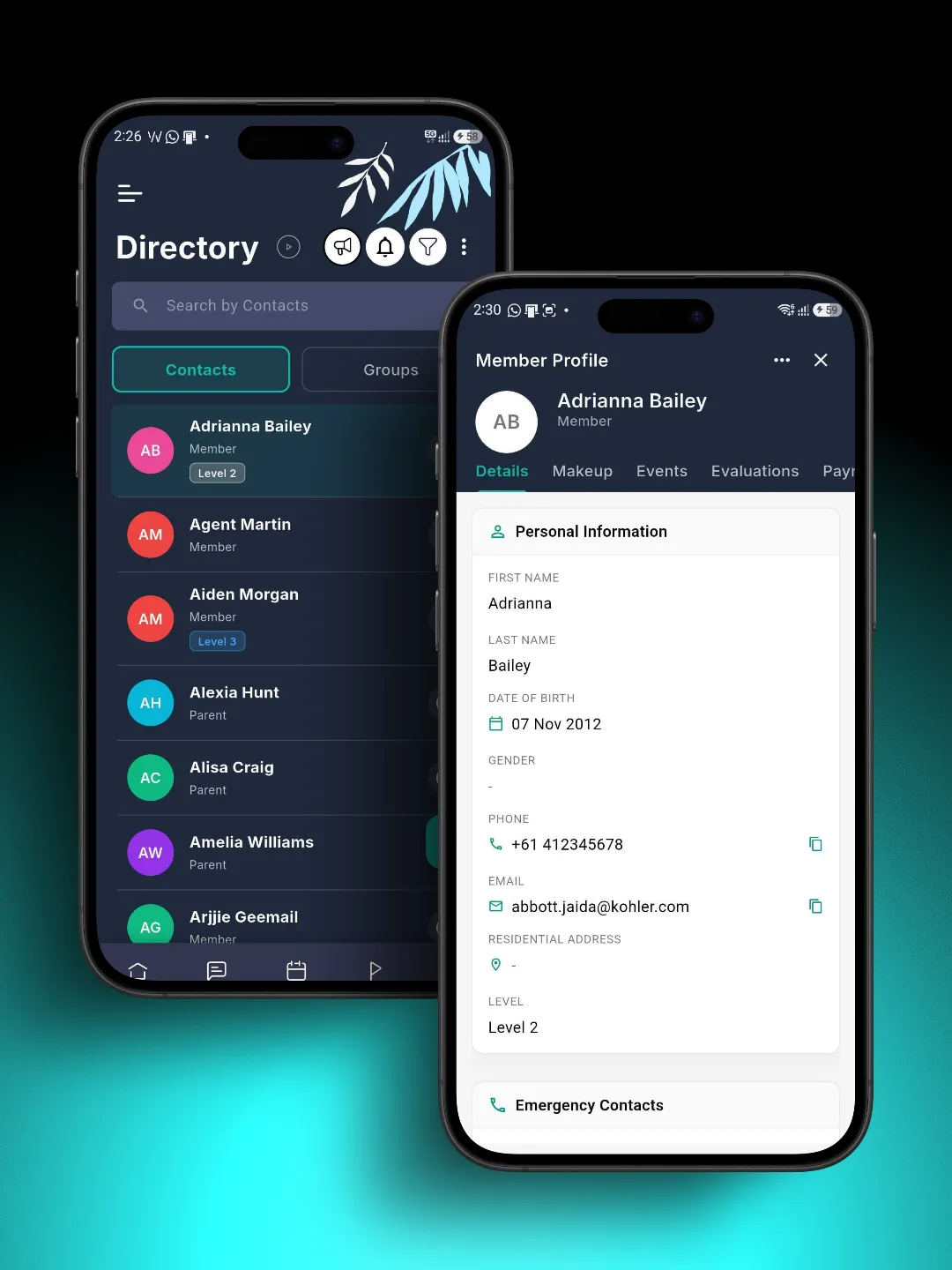
Or skip the clicking and just ask.
Ask AI sits right on your Directory. Ask about a student, parent or coach the way you’d ask a colleague, and get the answer from their full record.
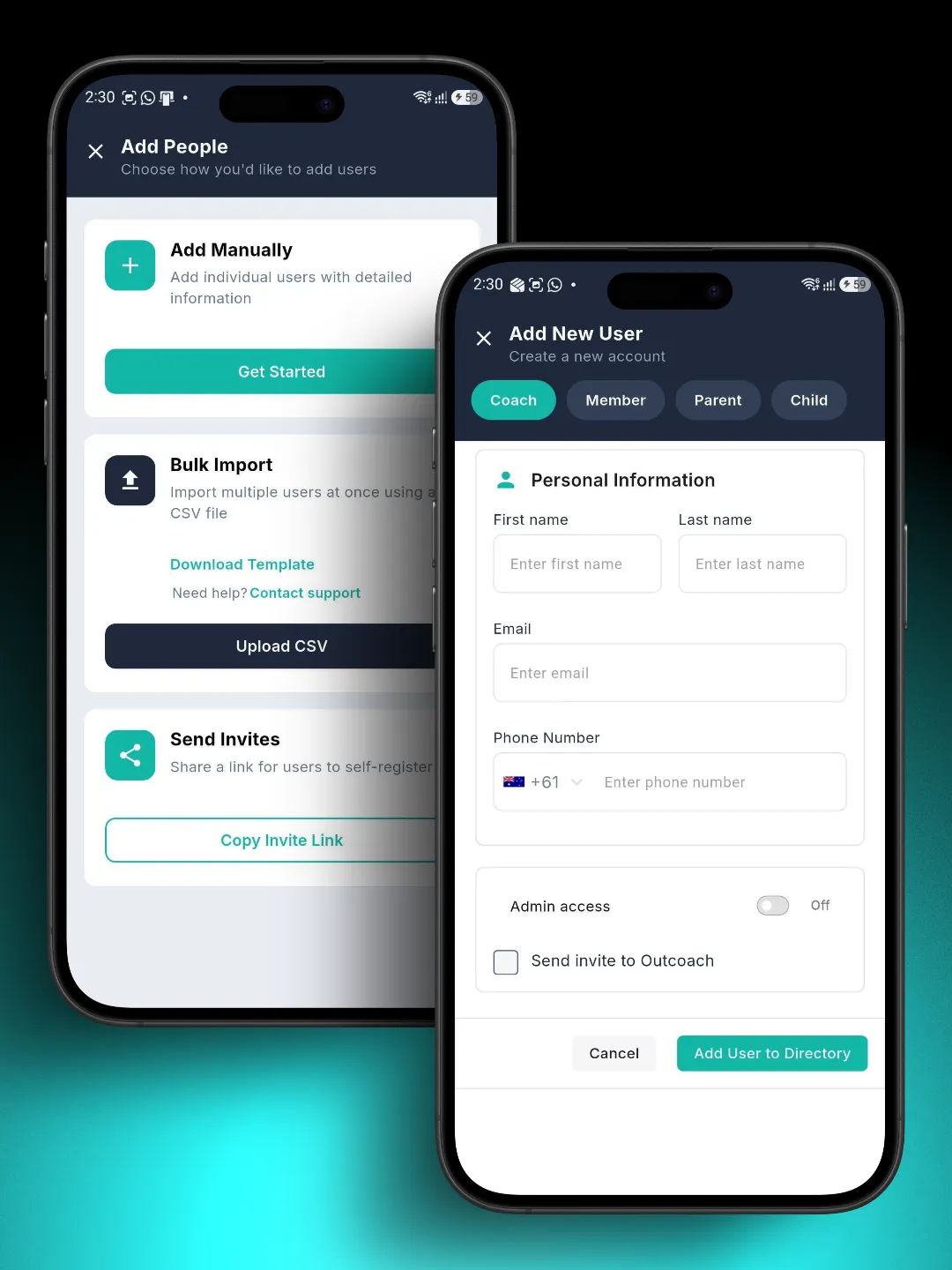
Add one person, your whole club, or let them sign up themselves.
Three ways to get everyone in. Most businesses are fully set up within a week.
Add manually
Add a coach, member, parent or child in seconds, and switch on admin access if they need it.
Bulk import
Upload a CSV using our template and bring everyone across at once.
Send invites
Share one link and let families register themselves.
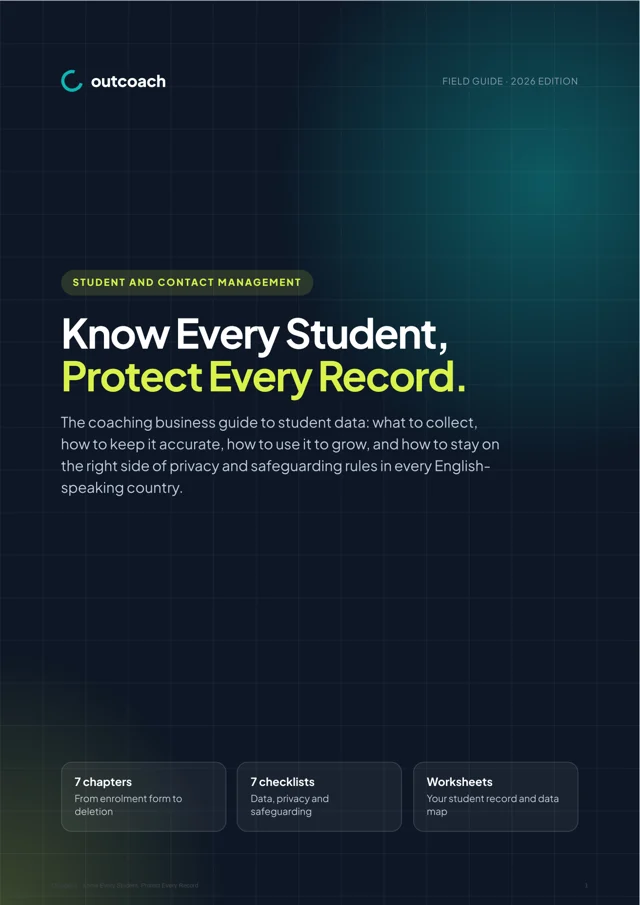
Free guide: know every student, protect every record.
A 10-page guide to student data for coaching businesses. What to collect, how to keep it accurate, how to use it to grow and how to stay on the right side of privacy and safeguarding rules.
- The perfect student record, field by field
- Privacy laws in plain language for five countries
- The safeguarding records every business should keep
- A term data-hygiene routine and security checklist
Download it below.
Download the guideQuestions about student and contact management
Can’t see yours? Ask our team and a real person will reply.
What’s included in a student, parent or coach profile?
Each profile has tabs for Details, Profile, Makeup, Events, Evaluations, Payments, Notes, Actions and Documents. Personal details, emergency contacts, medical information and linked parents sit on the Details tab. Everything else fills in as you use Outcoach, so you never type the same thing twice.
Can I store working with children checks and coach certifications?
Yes. Upload them to the Documents tab on each coach’s profile, along with accreditations, first aid certificates and police checks. Student forms and consent documents can live on student profiles in the same way.
Who can see medical and personal details?
Only the business owner and admins can see everyone’s information. Parents and students automatically have their details hidden from other families, and only see their own. You decide who gets admin access, person by person.
Can I link one parent to several children?
Yes. Use Families to link parents, adults and children into one family record. Add as many children as you need, and each parent sees their own kids in the app.
Is the information the same on the web and in the app?
Yes. It’s one record. Update a profile on the web and it’s updated in the app straight away, and the other way round. The app is free on iPhone and Android for your whole team and every family.
Will moving my students and contacts into Outcoach be a pain?
No. We’ll upload your classes and contacts for free so you can start your trial with your real data. You can also import a CSV using our template. If you decide Outcoach isn’t for you, there’s no charge.
Can one person have more than one role?
Yes. Someone can be a Member-Coach or a Parent-Coach, for example. Their profile shows everything that applies to both roles in one place.
Do I have to pay extra for SMS?
No. We cover the cost of bulk SMS and app notifications, so you can send announcements and reminders to any group of contacts for free.
Can I ask AI about a student?
Yes. Ask AI sits on your Directory. Ask something like “When is Adrianna’s next lesson?” and it answers from her full record. See Outcoach AI.
Ready to stop losing track of students?
Start your free trial and have every student, parent and coach in one place this week. We’ll import your contacts for free.