
Every document in one place. Every moment shared.
Keep enrolment forms, safety procedures, policies and timetables in one secure library, and give families a private place to see photos and videos from class. Upload once, and everyone downloads the latest version from the app.
Your paperwork lives in five places. Your class photos live in WhatsApp.
Forms in an inbox, the timetable in a spreadsheet, policies on an old web page and photos of children on personal phones. It works until a parent asks for the latest form, or a coach needs the emergency plan right now.
- Email the same PDF forms to every new family
- Dig through old threads to find the latest version
- Print the emergency plan and hope it’s in the kit bag
- Keep policies on a web page nobody can find
- Share class photos in an open group chat
- Lose the best moments in a scrolling chat
Lots of places to look, and no clear answer when someone asks.
Every form, policy, safety plan and class photo in one private place, on every phone, always the latest version.
- One library for every document
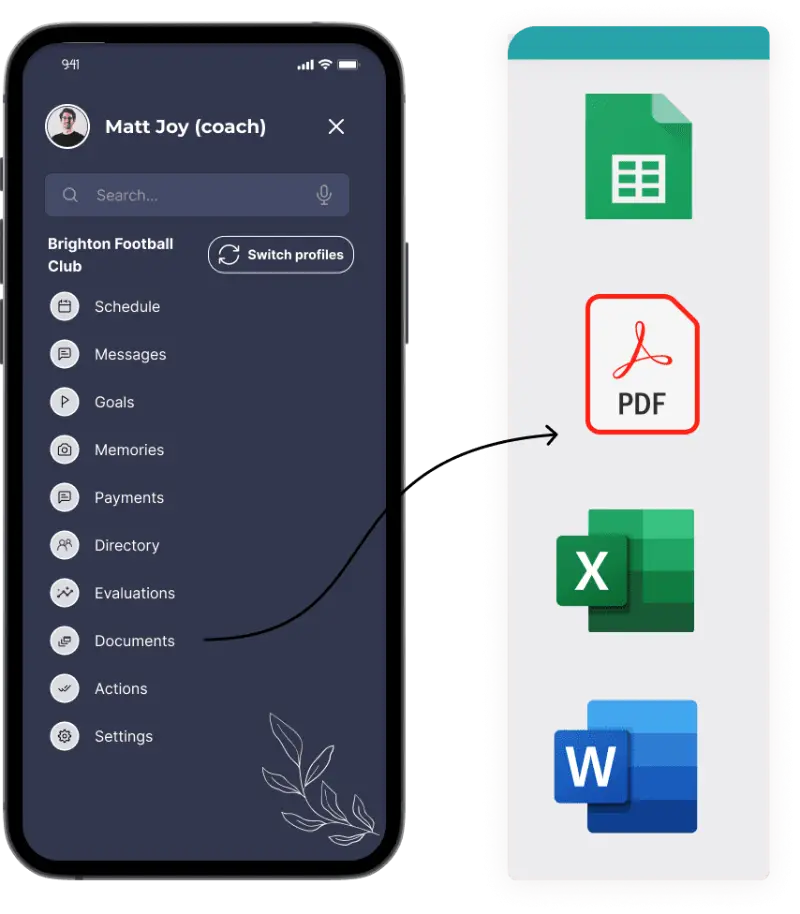
- PDF, Word, Excel and image files
- Download on web or mobile
- Photos seen only by the families in them
One library for every form, policy and safety plan.
Upload a file once and it’s ready for your team and families to download, on the web or in the app. No more “can you resend that form?”.
The forms families need, ready before they ask.
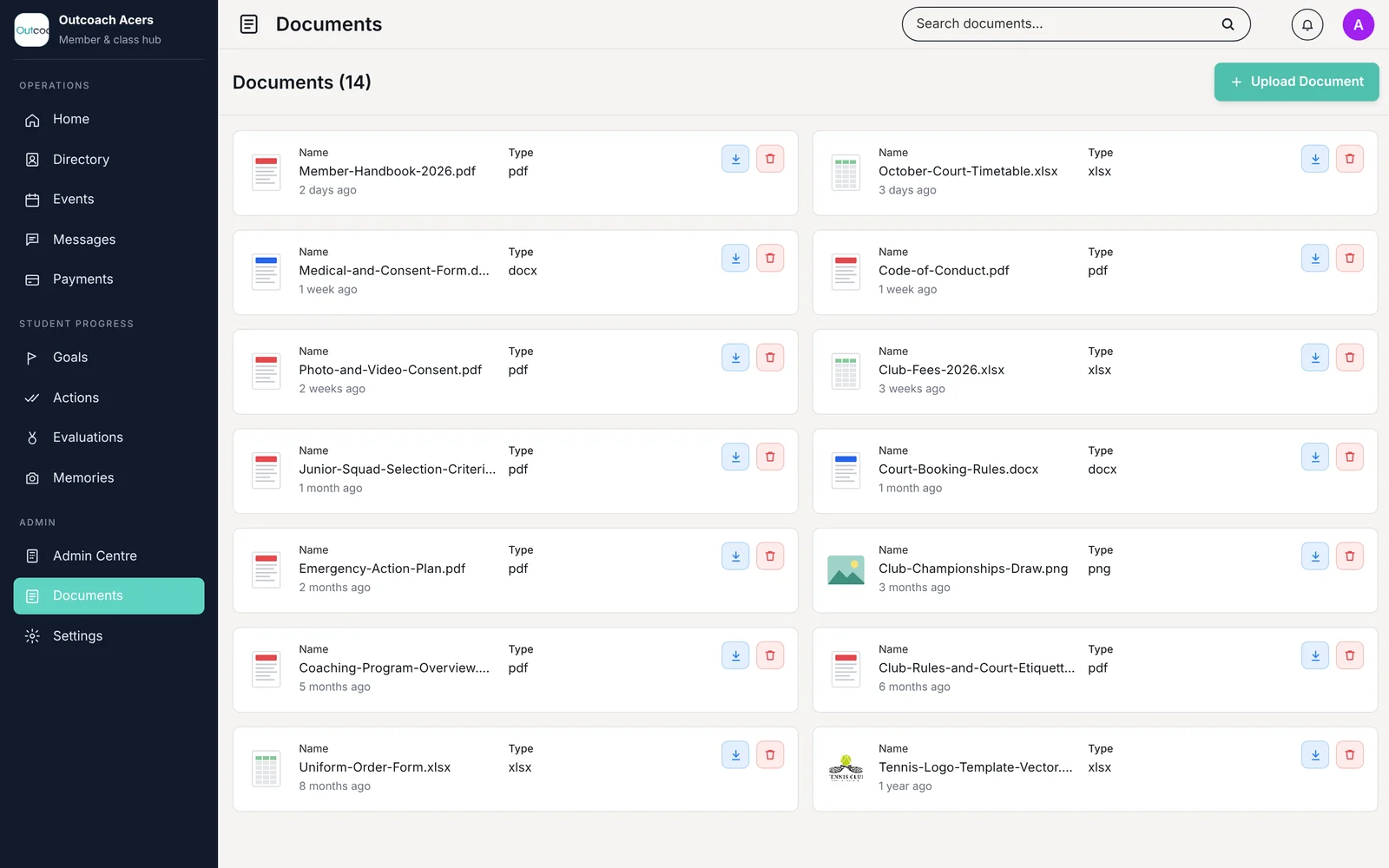
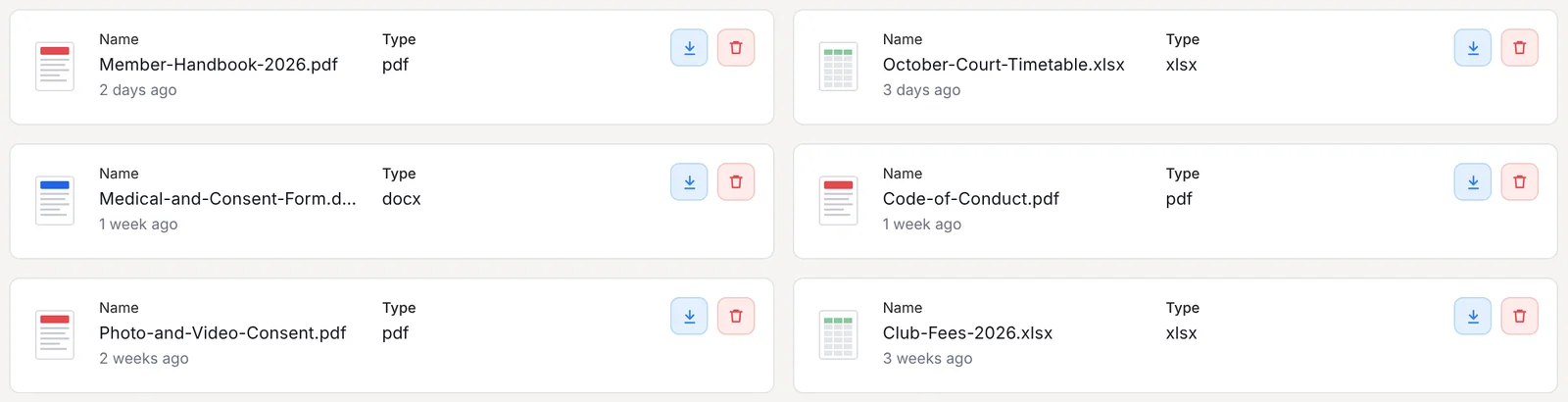
Put your member handbook, medical and consent forms, photo and video consent, code of conduct, timetable and fees in one place. Families download what they need from the app, so you stop resending attachments every term.
- 1Word, PDF and Excel filesUpload forms in the format you already use.
- 2File type at a glanceKnow it’s a PDF or a spreadsheet before you open it.
- 3See when it was addedEvery file shows how recently it was uploaded.
- 4One-tap downloadOn the web or the free Outcoach app.
 1
2
3
4
1
2
3
4
Safety procedures and coaching plans, on every coach’s phone.
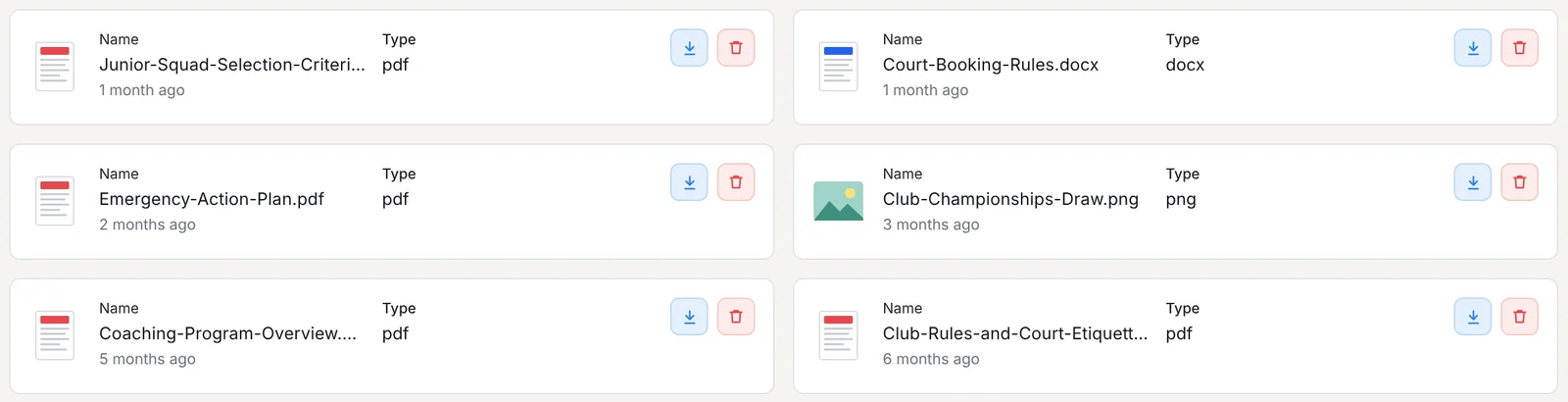
Your emergency action plan shouldn’t live in a folder back at the office. Share safety procedures, coaching program overviews, selection criteria and club rules with your team, so the right document is a tap away when it matters.
- 1Emergency action plansFirst aid, evacuation and contacts, ready on court.
- 2Coaching and selection documentsProgram overviews and squad criteria in one place.
- 3Images and draws tooShare championship draws, maps and logo files.
- 4Remove old versionsDelete outdated files so nobody uses the wrong one.
 1
2
3
4
1
2
3
4
Upload what you already have
PDFs, Word documents, spreadsheets and images. No need to rebuild anything.
Find it in seconds
Type part of a file name and the document you need is right there.
Always the latest version
Upload the new one, delete the old one, and everyone sees the same file.
Show families what happens inside class.
Parents drop off, then hear “it was fine” on the way home. Memories gives you a private place to share the clip of a new skill, the end-of-term showcase and the class photo, only with the families of the students in them.
Every photo and video, in one private gallery.
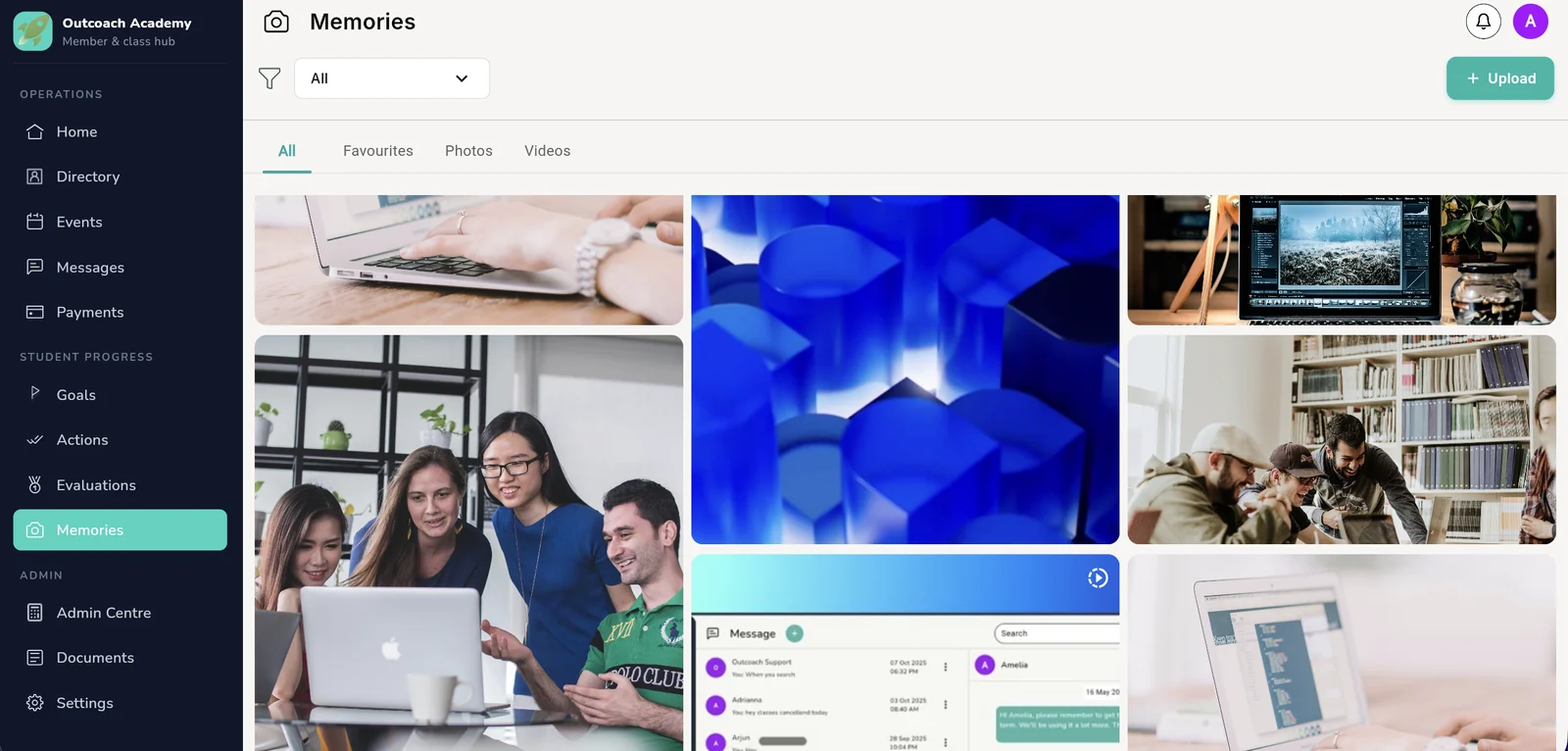
Upload straight from your phone after class, or from your desktop after an event. Families find their child’s moments in one place instead of scrolling a group chat, and save their favourites to look back on.
- 1Upload in secondsPhotos and videos, from your phone or desktop.
- 2Filter what you seeFind the moments you’re looking for quickly.
- 3Photos, videos and favouritesFamilies keep the moments that matter most.
- 4Videos play in the appNo file transfers and no downloads needed.
 1
2
3
4
1
2
3
4
Private by default. Social where it counts.
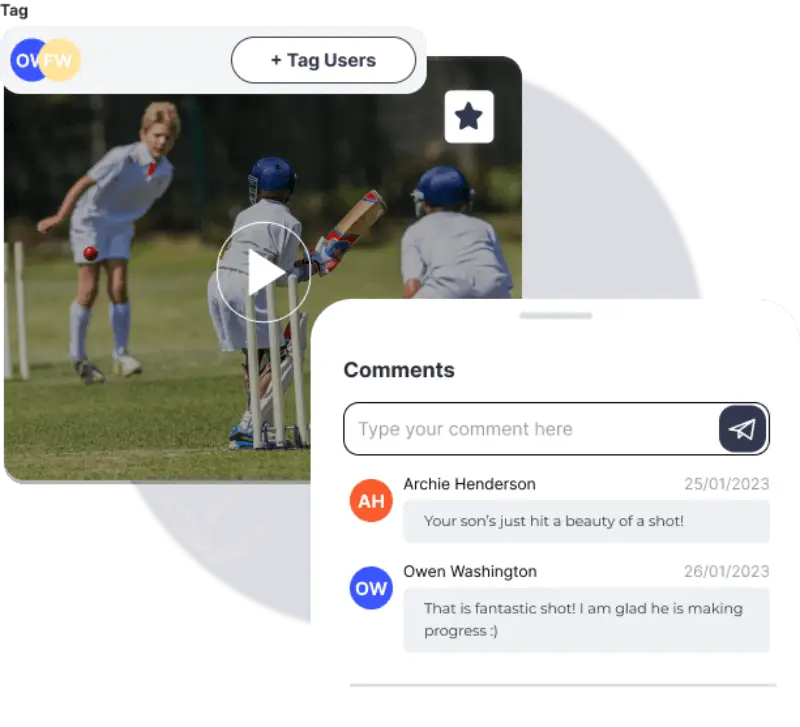
Tag the students in a photo or video and only they and their parents or guardians can see it. Nobody outside your business, or outside that class, ever can. Families like and comment, so a clip becomes a conversation instead of a forward.
- Tag students in postsEach family sees only the moments their child is in.
- Likes and commentsParents celebrate with coaches, not in a group chat.
- No public feedsYour content never lands on an open platform.
- Off coaches’ personal phonesUpload to Outcoach, not into a personal camera roll.
Everything you need to share safely.
The paperwork that keeps students safe and the moments that keep families coming back, handled in the same app.
One document library
Forms, policies, plans and timetables, all in one place.
Any file type
PDFs, Word documents, spreadsheets and images.
Search everything
Find any document by name in seconds.
Download anywhere
One tap on the web or in the free app.
Upload dates
See how recently each file was added.
Swap old versions
Delete outdated files so everyone uses the latest.
Safety documents
Emergency plans and procedures coaches can open on court.
Private photos and videos
Only the tagged students and their parents can see them.
Tag students
Each family sees the moments their child is in.
Likes and comments
Families celebrate class moments together, privately.
Favourites
Save the best moments to share again or use in term reports.
No upload limits
Add as many photos and videos as you like.
Forms and photos in every family’s pocket.
Outcoach is free on the App Store and Google Play. Once you set up your business, admins, coaches and families all get the app at no cost.
Admins
Upload forms, policies and plans, and remove old versions in a tap.
Coaches
Open the emergency plan on court and post class moments straight after a session.
Parents and students
Download forms, read the handbook and see photos and videos from class.
Less admin, more coaching.
Outcoach AI employees take on the jobs that eat your evenings, so the time you save on paperwork goes back into your classes.
Out of the inbox by the end of the week.
You already have the forms and policies. You just need one place to put them.
Upload what you have
Add your forms, handbook, policies, timetables and safety plans. We’ll import your students and classes for free.
Retire the old copies
Point families and coaches to the app instead of email attachments and printouts.
Share your first moment
Post a photo or clip after class, tag the students and let families celebrate.

Free guide: safe to share.
A 10-page documents, consent and media playbook for coaching businesses. What to collect from families and staff, who should see it, and how to share class photos without the safeguarding risk.
- The ten documents every coaching business needs
- Four visibility levels for every file
- A staff check renewal register
- Photo consent wording and safe-sharing rules
Download it below.
Download the guideWhat kinds of documents can I share?
PDFs, Word documents, Excel spreadsheets and images. Clubs use it for member handbooks, medical and consent forms, codes of conduct, timetables, fees, emergency action plans, coaching program overviews and logo files.
Can families and coaches open documents on their phone?
Yes. Documents can be downloaded on the web or in the free Outcoach app for iPhone and Android, so coaches can open the emergency plan on court and parents can grab a form from the car park.
How do I update a document?
Upload the new version and delete the old one. Every file shows when it was uploaded, so it’s easy to see which is current.
Can I find a document quickly?
Yes. Search by file name and the document you need comes straight up, however many you keep.
Are there any privacy settings for photos?
Absolutely. When a coach uploads a photo or video, only the students tagged in it can see it, along with their parents or guardians. Nobody outside your business or that class can access it. No public feeds and no open groups.
Is there a limit on the number of photos I can add?
No. Add as many photos and videos as you like. Parents can save their favourites too, so the good times are easy to look back on.
Can coaches upload from their phone?
Yes. Coaches can post photos and videos from the free Outcoach app straight after class, so images don’t need to sit on their personal phones.
Do I have to pay extra for documents or media?
No. Documents and Memories are included, along with everything else in Outcoach, for one price. No price hikes and no hidden costs. Contact us to see if you’re eligible for one of our discounts.
What do you mean by ‘everybody gets access’?
Outcoach is a free mobile app for iPhone and Android. Parents and students download it and see their own classes, progress, notes, documents, photos and invoices at any time. Parents love being more involved, which helps with engagement and retention.
Every document found. Every family in the picture.
Start your free trial, upload your documents and share your first class moment. We’ll import your students and classes for free.