
Class scheduling, sorted in minutes.
Build your whole term once. Outcoach keeps every coach, court and family in sync, skips your holidays and rolls the timetable into next term in a few clicks.
Your timetable shouldn’t live in a spreadsheet.
Spreadsheets don’t know a coach is double-booked, a court is taken or Monday is a public holiday. Outcoach does, and it tells everyone who needs to know.
- Copy last term’s tab into a new one
- Fix every date by hand and skip the holidays
- Check no coach or court is booked twice
- Send each coach their new schedule
- Send every family the new times
- Answer “what time is class?” all week
Six jobs, three apps and most of a weekend.
Pick the classes. Pick the new dates. Check the preview. Done.
- Every recurring class copied into the new term
- Holidays left clear, automatically
- Clashes flagged before they happen
- Coaches and families see it in the app straight away
Four screens that replace your timetable spreadsheet.
Here’s what you’ll use day to day, from building the term to changing a class at the last minute.
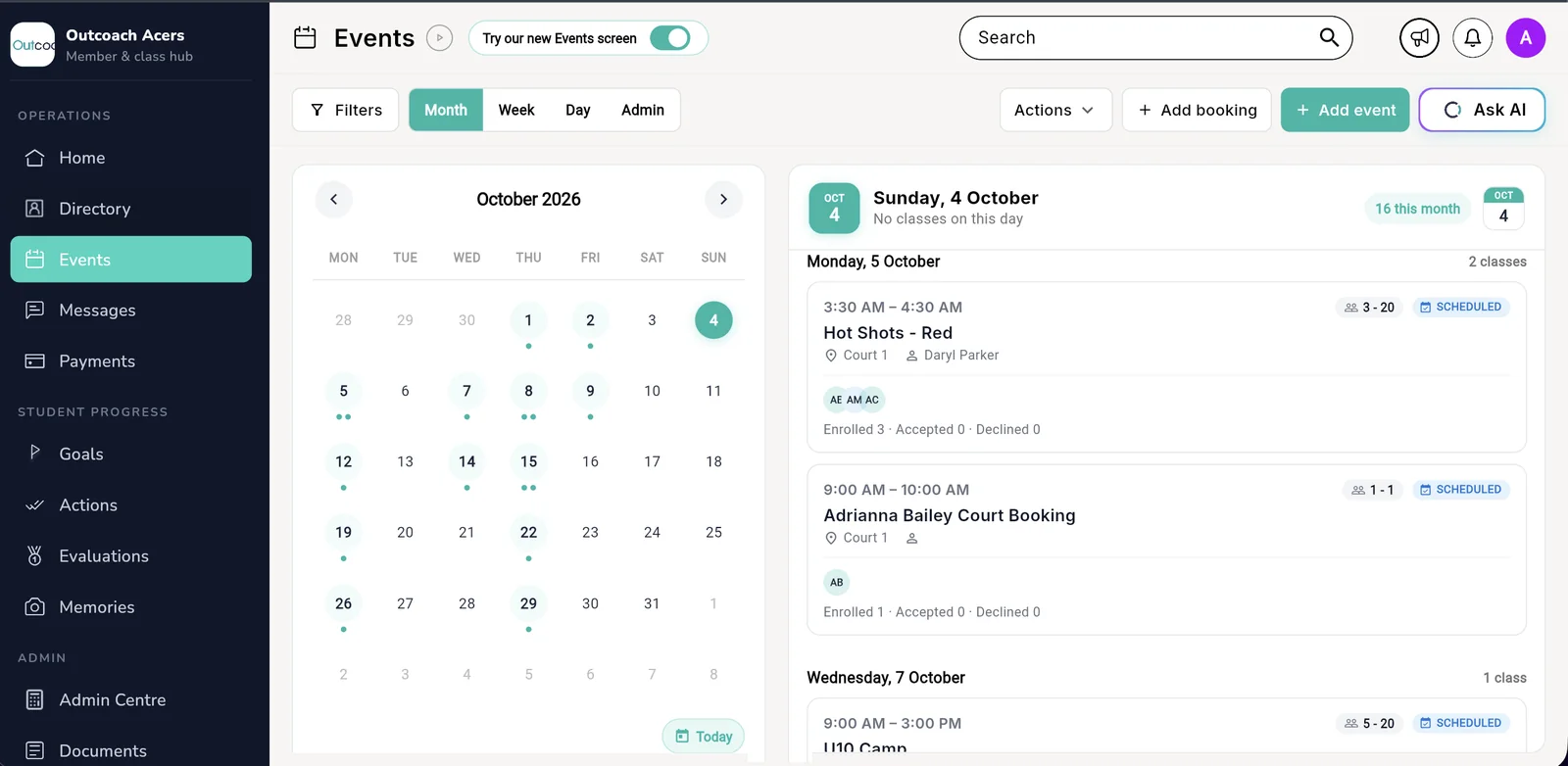
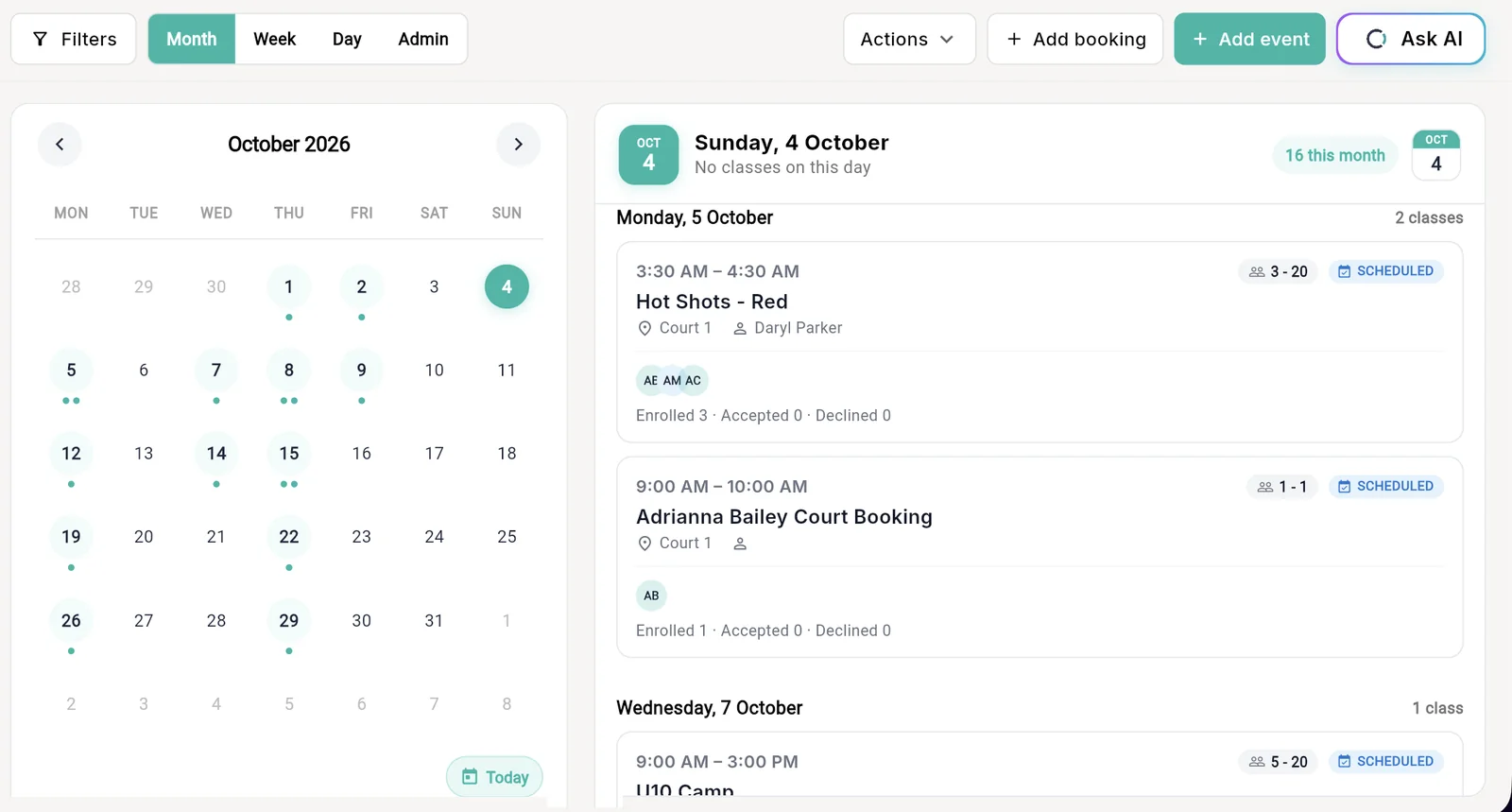
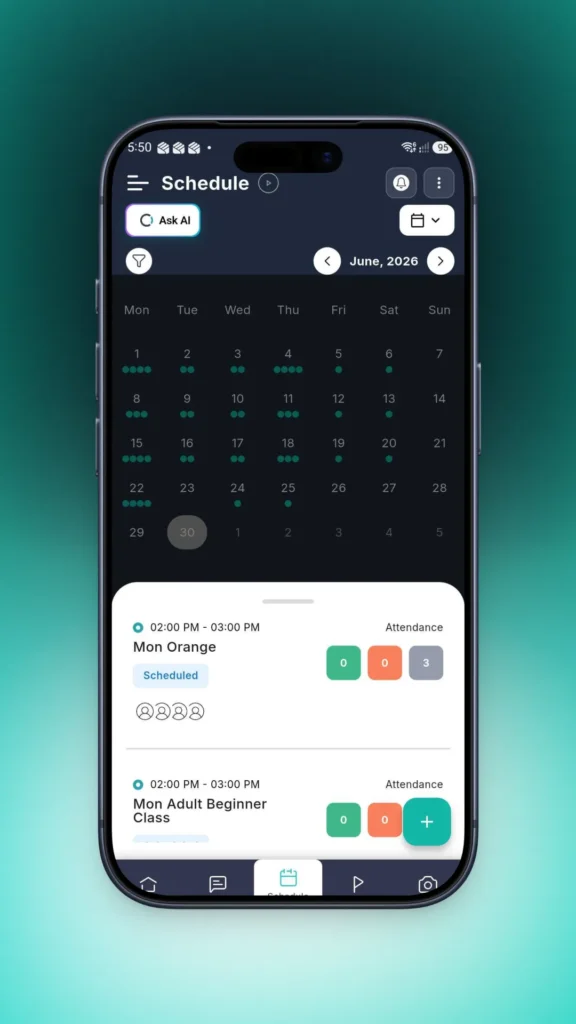
See every class, coach and court in one calendar.
Switch between month, week and day, or open the admin view to manage the lot. Each class shows its time, court, coach and how full it is, so you spot a gap before anyone asks.
- 1Month, week, day and admin viewsZoom out to plan the term, zoom in to run today.
- 2Add a class or a booking in one clickRecurring squads, one-off workshops and private court bookings.
- 3Capacity and enrolment on every classSee who’s enrolled, who’s accepted and how many spots are left.
- 4Ask AI, right on the calendar“Move Thursday’s clinic to 7 pm and tell everyone.”
 1
2
3
4
1
2
3
4
Everything about a class, one click away.
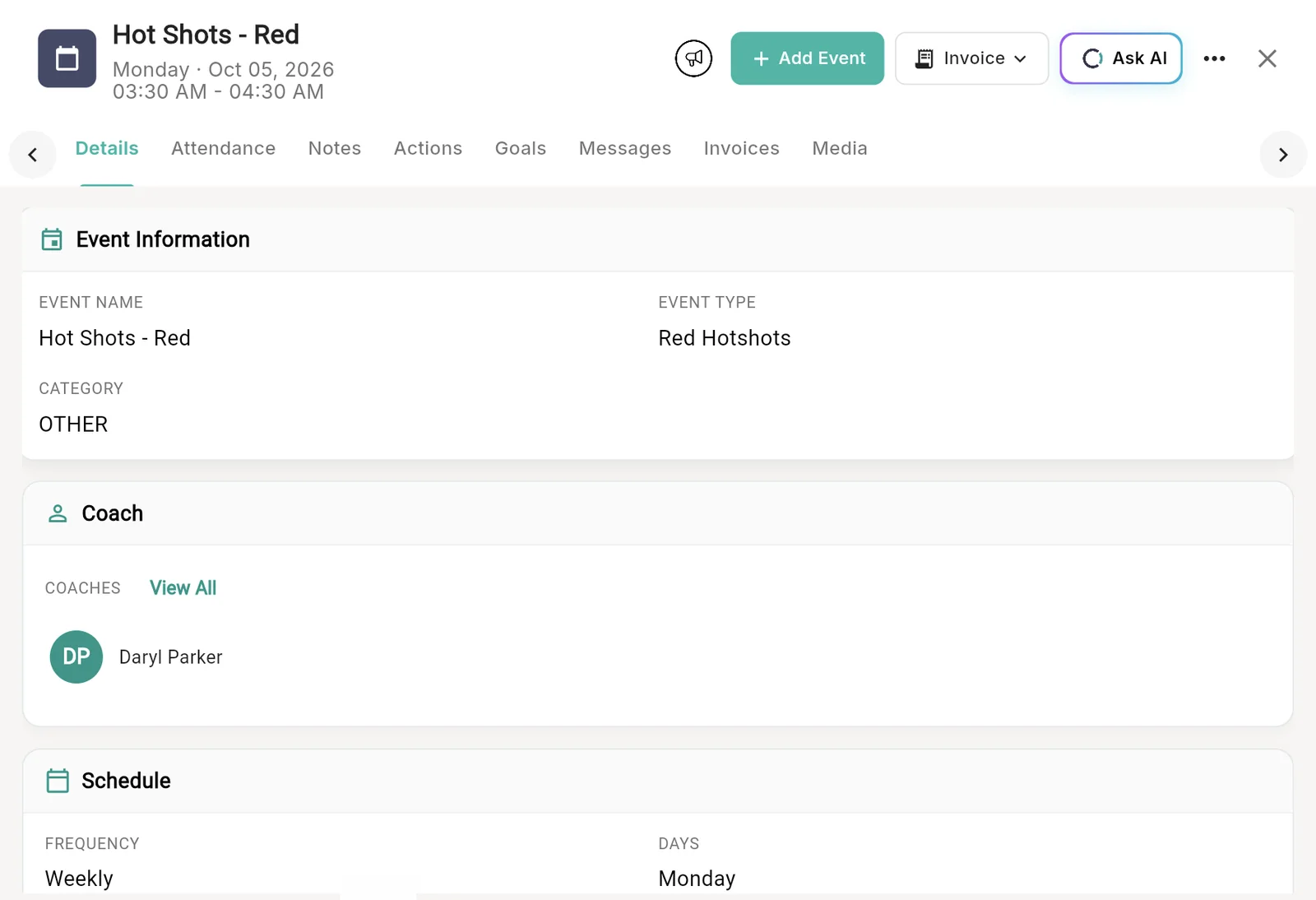
Open any class to see who’s coaching, when it repeats and who’s coming. Take the roll, add notes, set goals, message families and send invoices without leaving the class.
- 1Attendance, notes, goals and messagesEvery tab a coach needs, attached to the class.
- 2Invoice straight from the classBill everyone enrolled without building a list.
- 3One coach or a whole teamAssign coaches and they see it on their phone.
- 4Set how it repeatsPick the frequency and days, and Outcoach fills the term.
 1
2
3
4
1
2
3
4
Mark the holidays once. Your classes work around them.
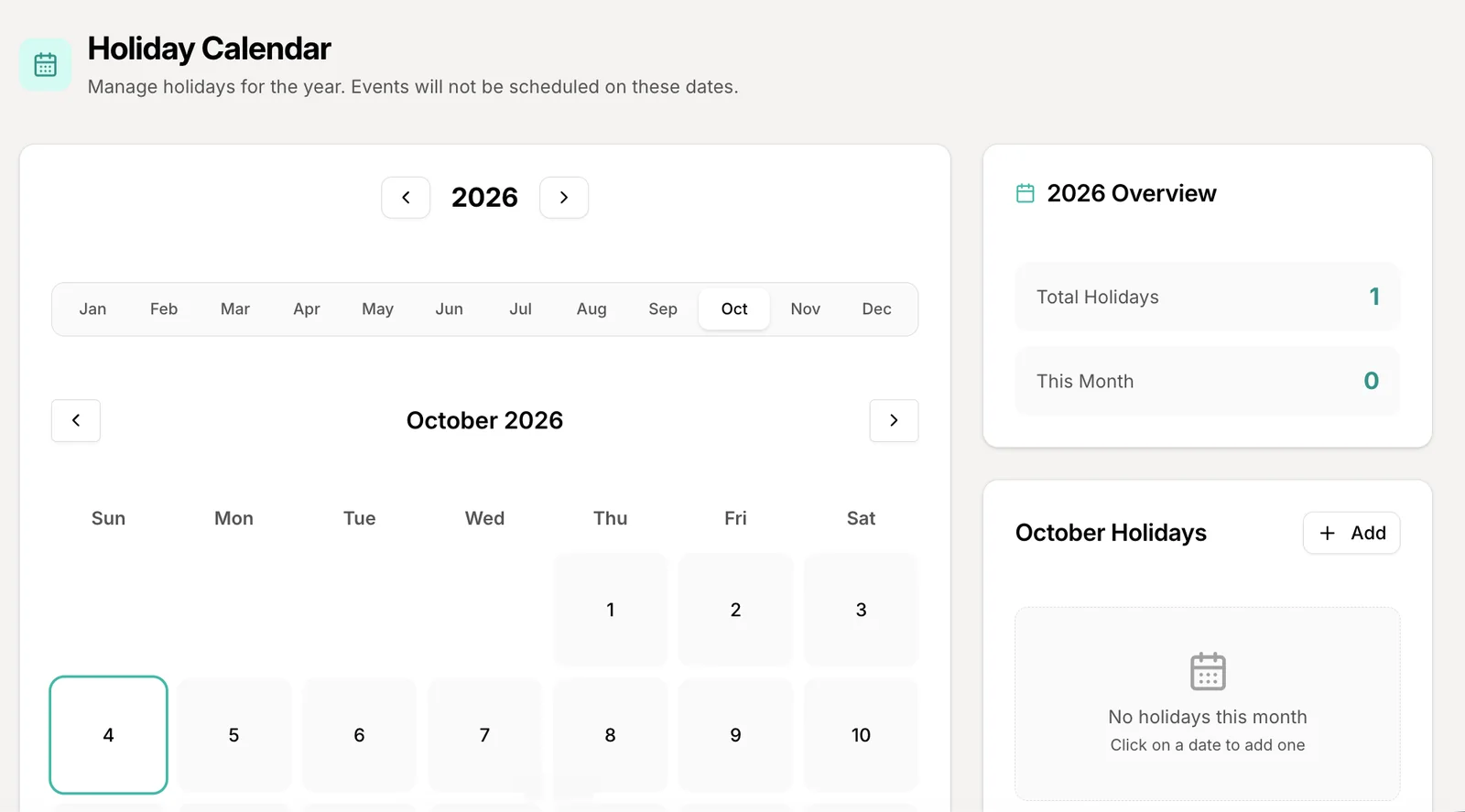
Add public holidays, term breaks and venue closures for the whole year. Outcoach won’t schedule classes on those dates, so nobody turns up to a locked hall.
- 1Plan the year, month by monthSet up every break before term starts.
- 2Add a holiday in two clicksClick a date, name it, save it.
- 3See the year at a glanceA running count of holidays for the year and the month.
 1
2
3
1
2
3
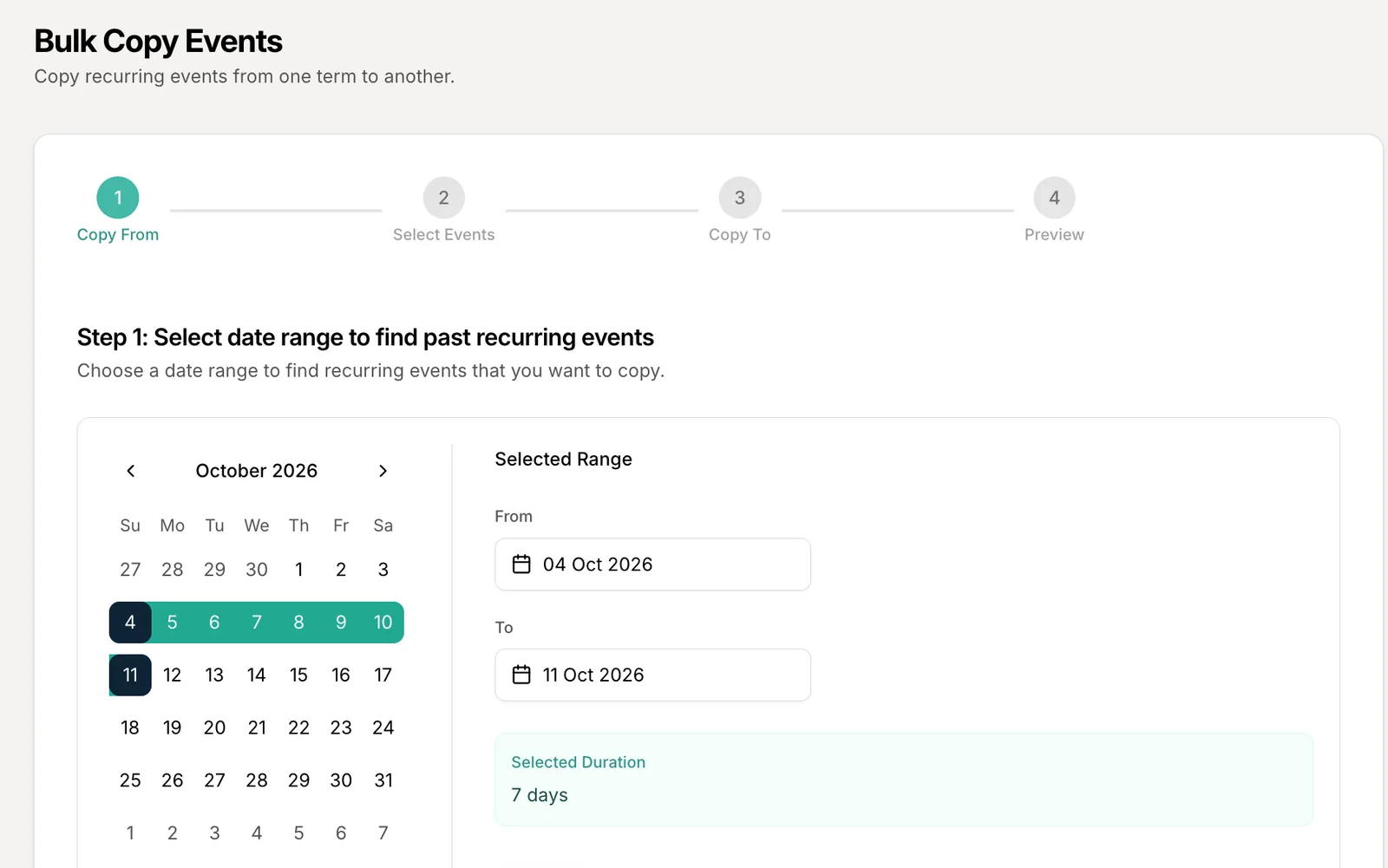
Roll this term into next term in four steps.
Pick a week that looks right, choose the classes to keep, set the new dates and check the preview. Every recurring class lands in the new term, ready to go.
 1
1
“We used to lose hours on WhatsApp sorting out class changes. Now Outcoach handles it, and our instructors get to spend their time teaching instead of on admin.”
Everyone sees their own schedule. Nobody calls the office.
Once you set up the timetable, coaches, parents and students get the Outcoach app for free and see exactly what’s relevant to them.
Admins
Every class, coach and venue in one calendar, with clashes flagged before they happen.
Coaches
Their own classes on their phone, with the roll, notes and lesson plans ready to go.
Parents and students
When and where the next class is, and any change the moment it happens.
Every kind of class you run, in one place.
Tennis squads, dance classes, music lessons, swim programs, holiday camps. If it has a time and a place, Outcoach can schedule it.
Recurring and one-off classes
Weekly squads, single workshops and private lessons, side by side in one calendar.
Camps and multi-day events
Run holiday camps and intensives across several days without setting each one up.
No double-bookings
Outcoach checks coach availability and room capacity before a class is confirmed.
Courts, rooms and venues
Give every class a court or room, and see what’s free at a glance.
Court and room hire →Bookings from the calendar
Take a one-off court or lesson booking without leaving the timetable.
Online booking →Online and hybrid classes
Attach a Zoom or Google Meet link and run it like any other class.
Google Calendar sync
Classes show up in the calendar your coaches and families already use.
Unlimited, on every plan
No caps on classes, events or sessions, and no extra charge for scheduling.
Or skip the clicks and just ask.
Ask AI sits right on your calendar. Tell it what you need the way you’d text a colleague. It makes the change, tells the families and shows you what it did.
Up and running before next term.
You don’t have to rebuild anything by hand. We’ll help you move across.
Send us your timetable
Share your spreadsheet and we’ll load your classes and contacts for free, even during your trial.
Add holidays, coaches and courts
Mark your term breaks, assign coaches and venues, and set your class sizes.
Invite everyone
Coaches, parents and students get the free app and see their own schedule straight away.
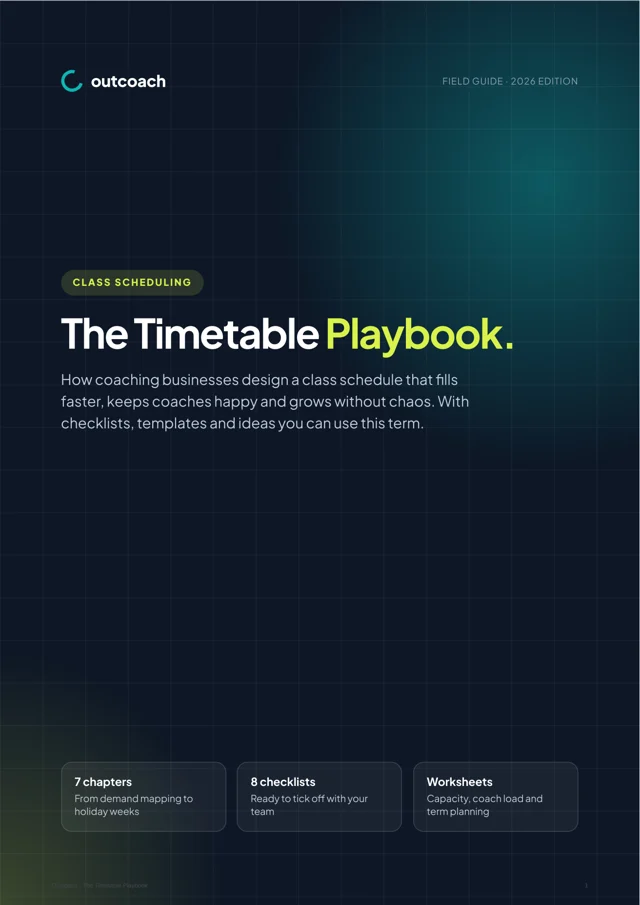
Free guide: build a timetable that fills itself.
A 10-page playbook on designing a class schedule that fills faster, keeps coaches happy and grows without chaos. Built for coaching businesses in Australia, the UK, New Zealand, the US and Canada.
- Map real demand before you add a single class
- Plan terms, holidays and makeups for your hemisphere
- A capacity worksheet to find your next growth step
- The 30-minute monthly timetable review
Download it below.
Download the guideWill moving my classes into Outcoach be a pain?
No. We offer a free service to load your classes and contacts for you, so you can start your trial with your real timetable. If you decide Outcoach isn’t for you, there’s no charge.
Is there a limit on how many classes I can add?
No. You can add unlimited classes, events and sessions on every Outcoach plan.
Can I copy this term’s timetable into next term?
Yes. Bulk copy takes your recurring classes from one date range and copies them into another in four steps: choose where to copy from, pick the classes, set the new dates and check the preview before you confirm.
How do public holidays and term breaks work?
Add them to the holiday calendar once for the year. Outcoach won’t schedule classes on those dates, so you don’t have to cancel them one by one.
Will Outcoach stop double-bookings?
Yes. Outcoach checks coach availability and room capacity before a class is confirmed, and flags a clash before it happens.
Who can see the timetable?
Admins see every class, coach and venue. Coaches see their own classes. Parents and students see the classes they’re enrolled in, including any changes, in the free Outcoach app.
What do you mean by ‘everybody gets access’?
Once the business owner sets up the account, coaches, parents and students all get free access to the Outcoach app, with their own dashboard and calendar.
Can I run online classes?
Yes. Attach a Zoom or Google Meet link to any class and manage it like any other, including attendance.
Do I pay extra for scheduling features?
No. Scheduling, attendance, notes, lesson plans, messaging and media are included in every Outcoach plan at no extra cost.
Can I change the timetable by just asking?
Yes. Ask AI sits on your calendar. Type or say something like “Move Thursday’s clinic to 7 pm and tell everyone” and it does the job, then shows you what changed. See Outcoach AI.
Get next term sorted this week.
Try Outcoach free for 30 days. Send us your timetable and we’ll set it up, so your coaches and families can see it straight away.