
The app that keeps families coming back.
Every parent wants to know three things. When’s the next class? How’s my child going? What do I owe? The free Outcoach app answers all three on their phone, with feedback straight from the coach. Parents stop chasing you for updates, and start re-enrolling.
A group chat is not a parent experience.
Most families who leave at the end of a term never complain. They just don’t re-enrol, usually because they couldn’t see how their child was going. The good work was happening. Nobody could see it.
- Schedules posted in a chat that scrolls away
- Progress shared at pick-up, if at all
- Invoices buried in an inbox
- Absences texted to a coach’s own phone
- Photos sent to the wrong group
- Parents left asking “how’s she going?”
Busy coaches, anxious parents and families who quietly don’t come back.
Every family gets their own app. Their child’s classes, progress and invoices, and nothing about anyone else’s.
- Schedule and reminders, always current
- Goals and feedback from the coach
- Invoices they can pay by card
- Absences reported in two taps
What a parent app does for your business.
It’s not just a nicer way to send a timetable. When parents can see the value, they stay longer and tell their friends.
Students stay enrolled longer
Parents who see regular progress don’t question the next invoice. Re-enrolment becomes the obvious choice, not a decision.
Parents see the value
Goals, feedback, photos and videos turn your coaching into something families can see, share and talk about at dinner.
Stand out as the premium choice
A proper app for every family tells parents you take their child seriously. It’s the first thing they mention when they refer you.
One standard across every class
See which students have goals and feedback and which don’t, so every family gets the same quality of coaching, whoever their coach is.
Everything about their child, in their pocket.
Parents open the app and see their child’s week, their progress and what’s due. Here’s what’s inside.
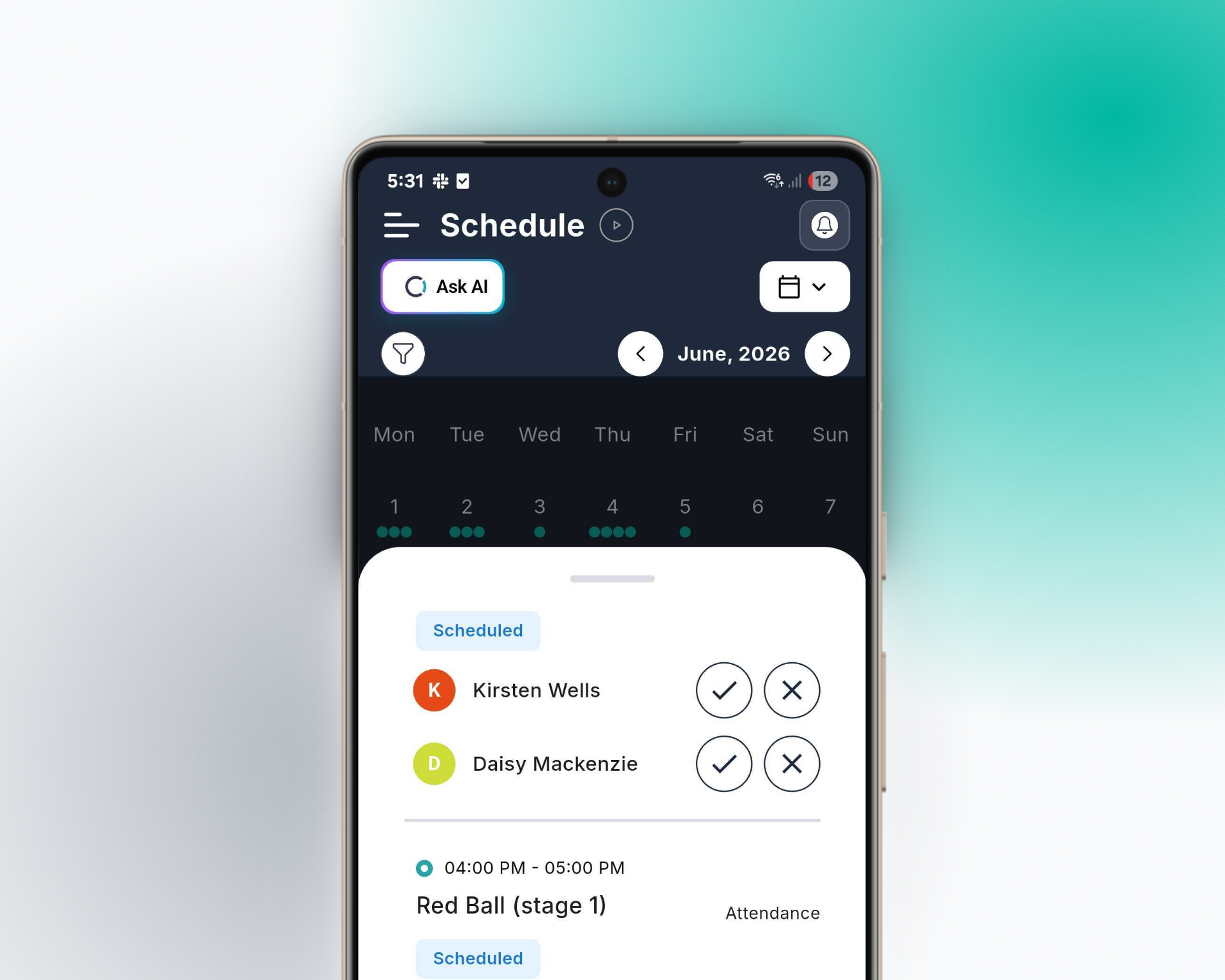
Their child’s classes, always up to date.
A month view shows every class at a glance. Tap a day for the time, the coach and the class details. When something changes, the app updates and parents get a notification, so nobody turns up to an empty court.
- Month and day viewsEvery class, event and holiday program in one calendar.
- Class details and coachWhere, when and who, without asking.
- Automatic remindersBefore each class, and whenever something moves.
- Report an absenceCoaches know before class, not after.
Feedback from the coach, the moment it’s written.
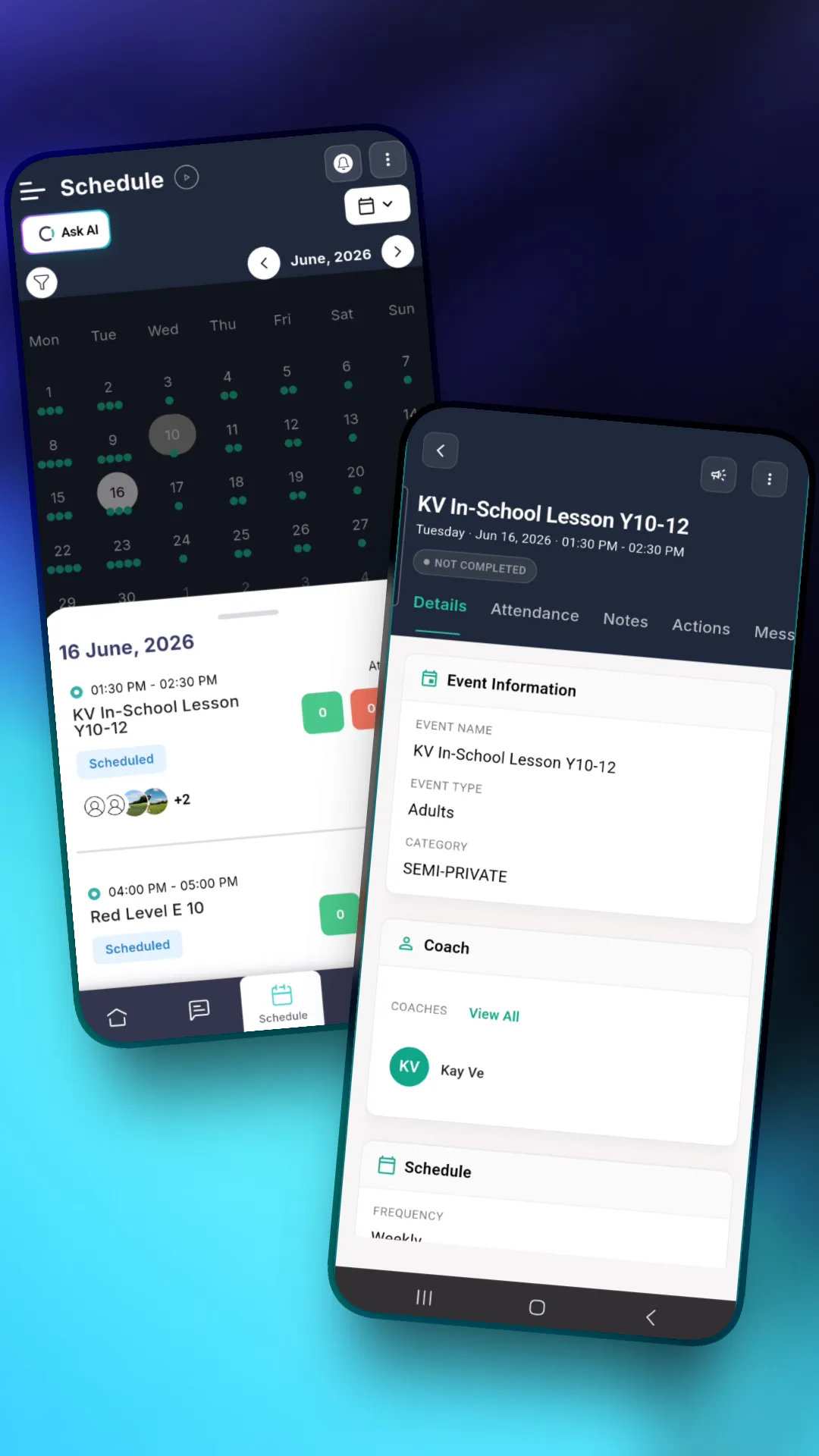
Coaches record feedback, ratings and evaluations from their phone, right after class. Parents get a notification and see exactly how their child is going, in the coach’s own words.
- Written feedbackSpecific notes about their child, not a generic report.
- Ratings that show the trendEffort, engagement, attitude and focus, term by term.
- Competitions and testsResults and skill assessments on their child’s profile.
- Photos and videos from classThe moments parents never get to see.
Practice that carries on at home.
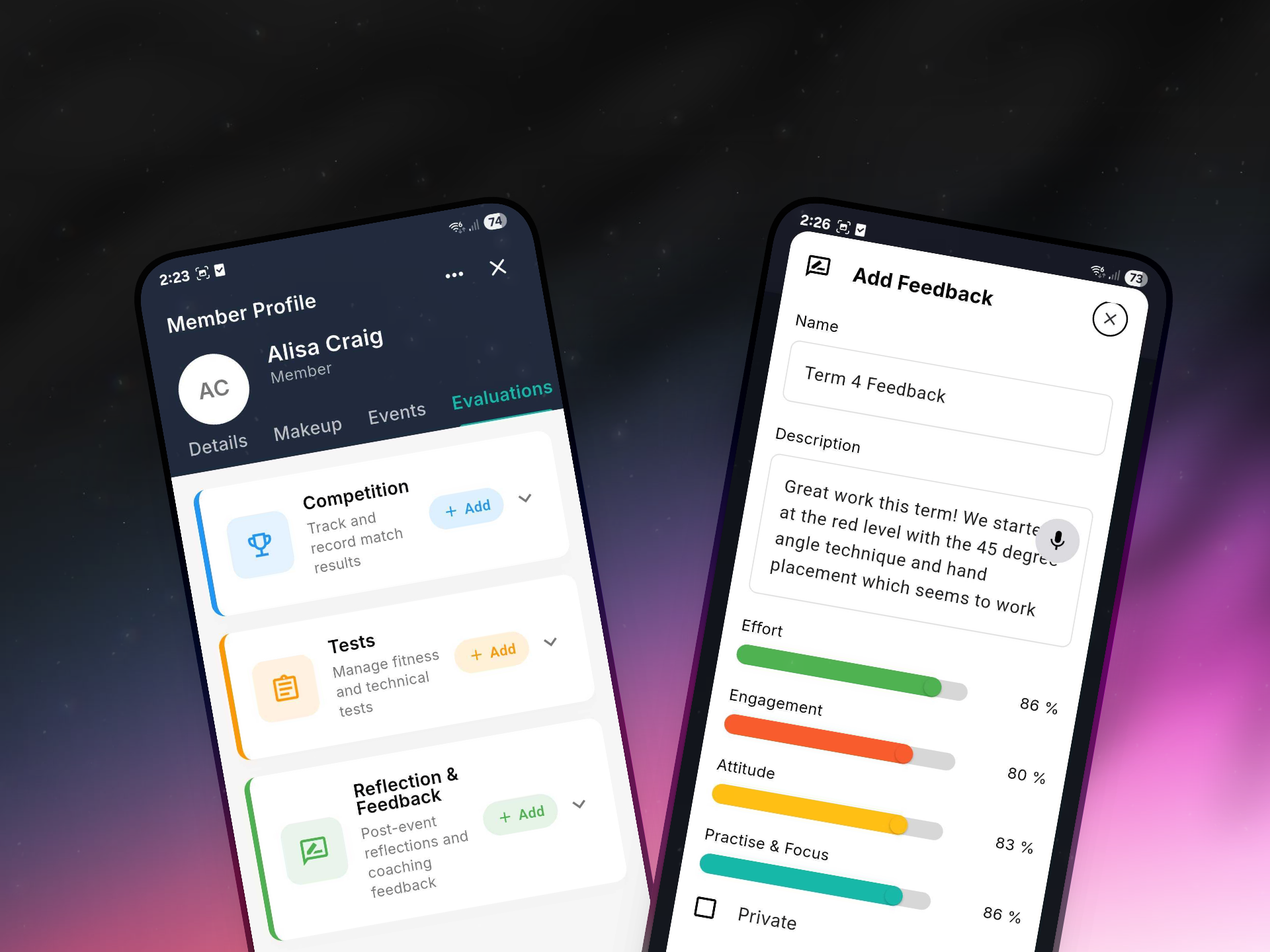
Coaches set actions for each student, from a drill to practise to a skill to master. Parents and students can see what’s to do, what’s in progress and what’s done, so the work between classes counts too.
- To do, in progress, completedA clear picture of what their child is working on.
- Reminders for goals and homeworkA nudge so practice actually happens.
- Everything on one profileDetails, makeups, events, evaluations and payments.
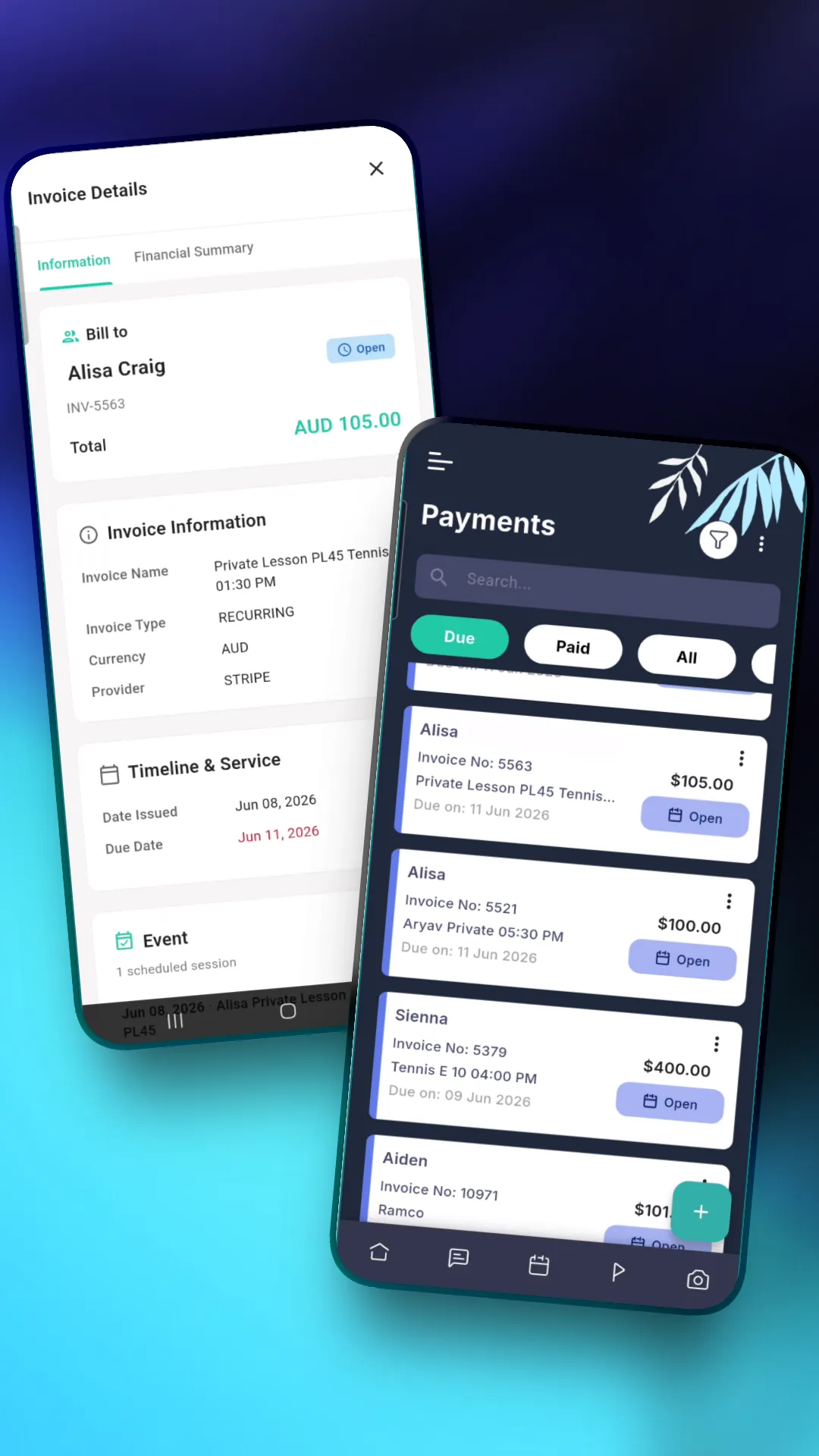
Invoices that make sense, paid in a minute.
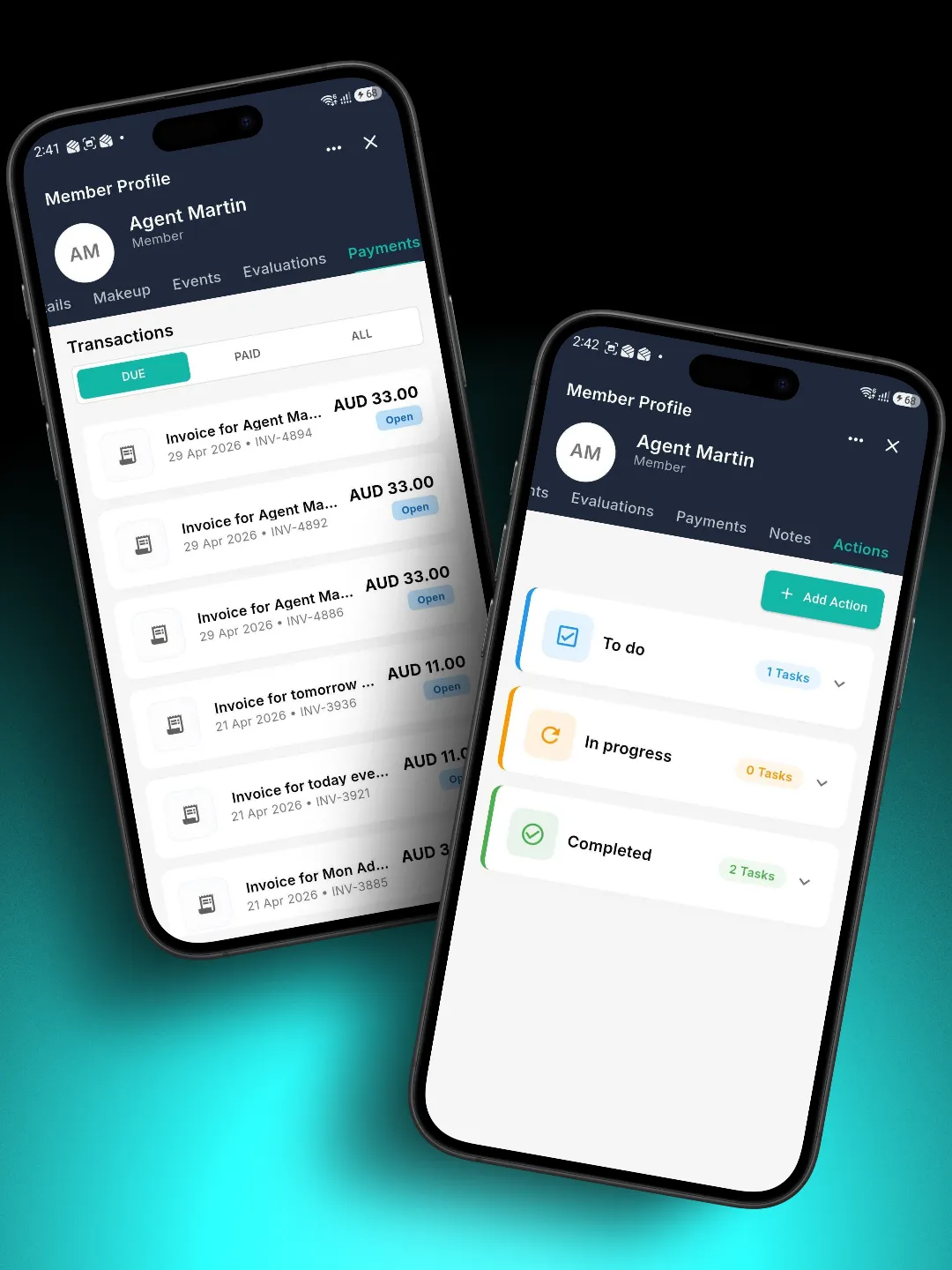
Every invoice sits next to the classes it pays for. Parents see what’s due, what’s paid and what each invoice covers, then pay by card in the app. Automatic reminders do the chasing, so your team doesn’t have to.
- Due, paid and all invoicesThe full payment history, without asking for a statement.
- Invoice detailsWho it’s for, what it covers and when it’s due.
- Pay by cardPaid online, straight to your account.
- Automatic payment remindersFewer late payments, no awkward chats at the desk.
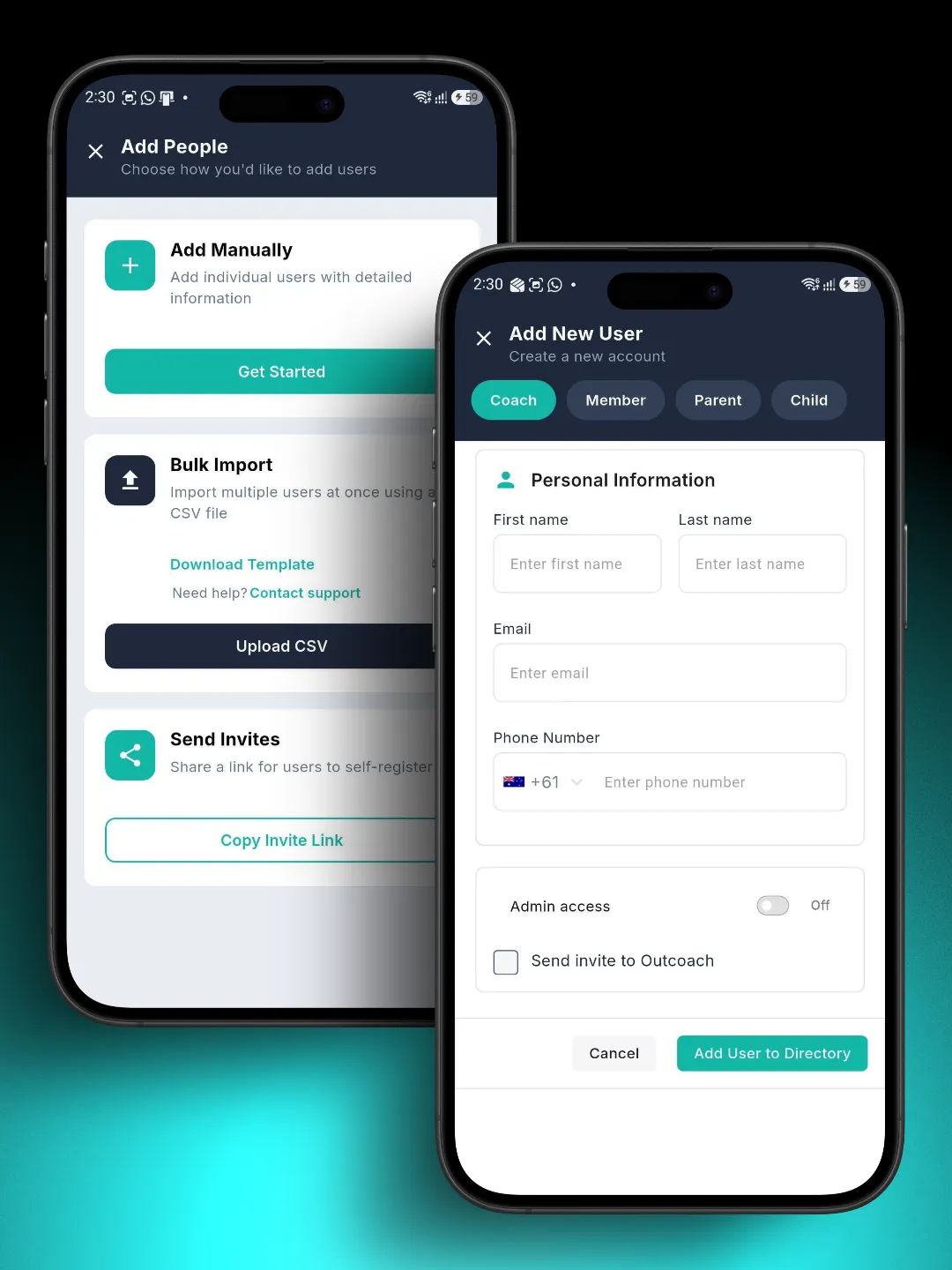
Every family on the app in a week.
Add your students and parents, and Outcoach sends each parent an invite to download the app. There’s nothing for parents to set up and nothing for you to explain.
Add people your way
One at a time, or import everyone at once from a spreadsheet. Or we’ll do it for you.
Invites go out automatically
Parents get an email invite, or you share a link they can join from.
Linked to their own child
Each parent sees their child’s information and no one else’s.
One app for everything a family needs from you.
Whether you run a music school, dance studio, swim school or sports club, the Outcoach app gives families the whole picture and gives your team their time back.
Free on iPhone and Android
No cost to families, ever. They download it and sign in.
Class schedule
Every class and event in a month view that stays current.
Reminders and notifications
Before classes, when things change and when invoices are due.
Absence reporting
Parents tell you in the app, and the coach knows straight away.
Coach feedback
Written notes and ratings on their child’s progress.
Goals and actions
What their child is working on, and what’s done.
Photos and videos
Moments from class, shared only with the right family.
Evaluations and tests
Skill assessments and competition results on their profile.
Invoices and payments
Pay by card and see the full payment history.
Private by design
Each parent sees only their own child’s information.
The same app runs your side, too.
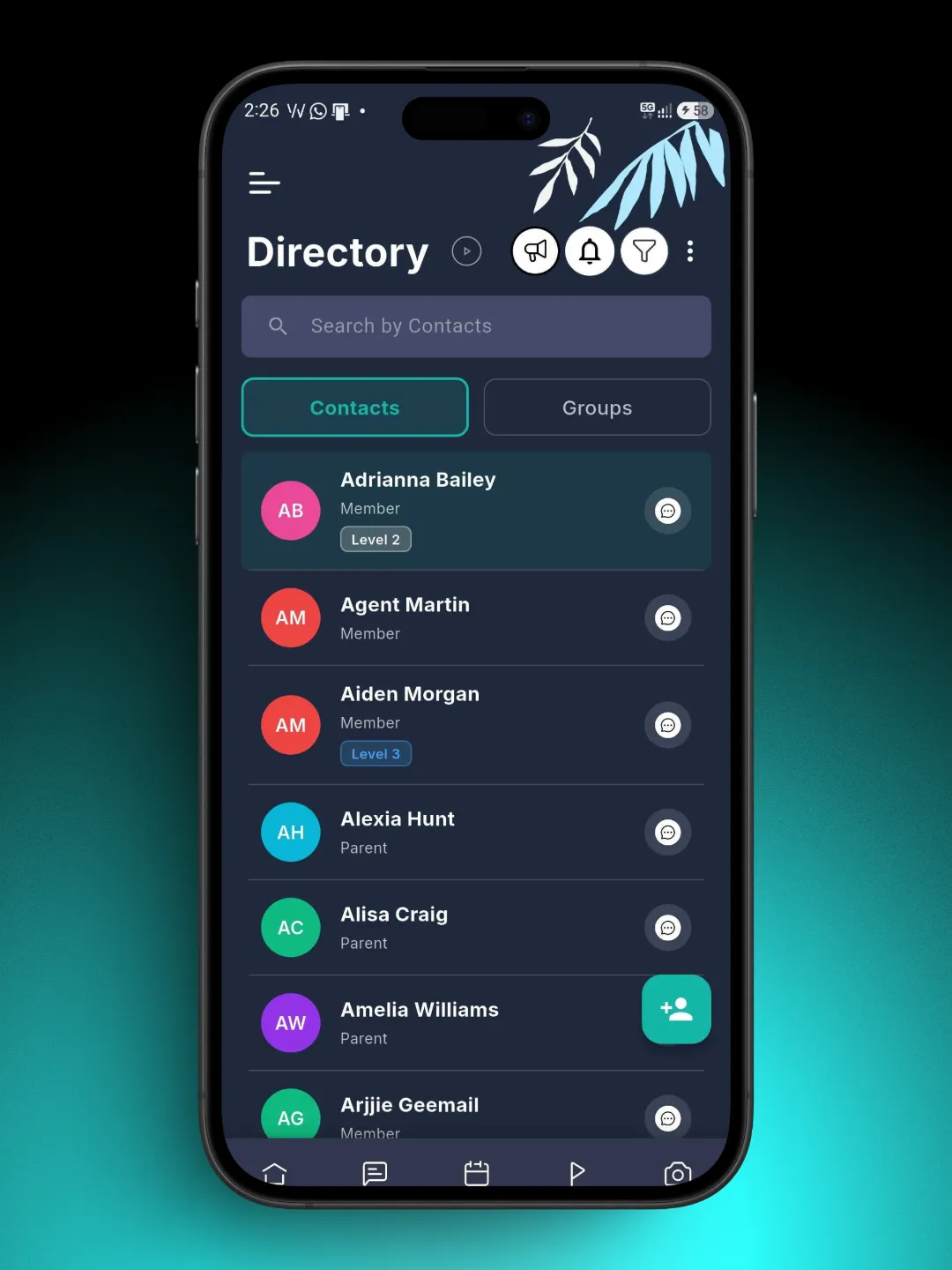
Coaches take the roll and log feedback on court, poolside or in the studio. Admins find any family in seconds. Parents see what’s relevant to them. One app, three views.
Admins
Every student, parent and coach in one directory, on the web or your phone.
Coaches
Today’s classes, attendance in a tap and feedback straight after class.
Parents and students
Schedule, progress and invoices for their own family.
Feedback written before you’re off court.
Coaches say what they saw and Outcoach AI writes it up as feedback, goals and actions on the student’s profile. Families get regular, specific updates without coaches spending their evenings on reports.
Families on the app by the end of the week.
You don’t have to rebuild anything by hand. We’ll help you move across.
Add your students and parents
Import them from a spreadsheet, or send us your list and we’ll import them for free.
Invite every family
Each parent gets an invite to the free app, already linked to their own child.
Share the first update
Have coaches add a goal for every child, so the first thing parents see is progress.
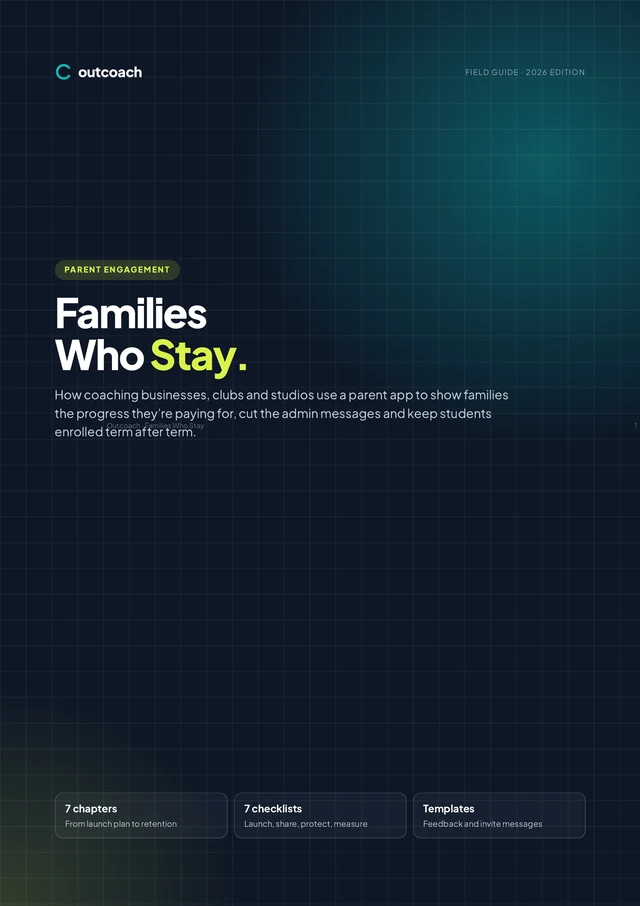
Free guide: families who stay.
A 10-page guide to turning a parent app into retention. Get every family on board, share the right updates at the right pace, write feedback parents read, and protect children’s privacy as the rules change in 2026.
- A four-week launch plan and invite message
- A sharing cadence your coaches can keep
- A term feedback template parents read
- Photo consent and the 2026 children’s privacy code
Download it below.
Download the guideWhat is the Outcoach parent app?
It’s the free Outcoach mobile app, set up for families. Parents see their child’s class schedule, goals, coach feedback, photos and videos, and invoices, and they can report absences and pay by card. It’s available on iPhone and Android.
Does the app cost parents anything?
No. The app is free for parents and students to download and use. Once you set up your business in Outcoach, each parent gets an invitation to join.
How do parents get access?
Add your students and parents to Outcoach, one at a time or by importing a spreadsheet, and each parent receives an email invite. You can also share an invite link. Parents download the app, sign in and see their child’s information straight away.
Can parents see other children’s information?
No. Each parent is linked only to their own child, and sees only that child’s schedule, progress, photos and invoices. They can’t see other students’ records.
How do coaches share feedback with parents?
Coaches log goals, written feedback, ratings and actions in Outcoach, usually from their phone straight after class. Parents get a notification when something new is added. Outcoach AI can write feedback up from what the coach says, so it takes seconds.
Can parents report an absence in the app?
Yes. Parents tell you about an upcoming absence in the app, and the coach is notified in real time. No phone calls or texts to a coach’s personal number.
Can parents pay invoices in the app?
Yes. Parents see every invoice, what it covers and when it’s due, and can pay online by card. Automatic reminders go out before and on the due date. See payments and invoicing.
Can parents book classes from the app?
Yes. Families can book classes, trials and programs through the app and your booking site. See online booking.
Do coaches and admins use the same app?
Yes. The same app shows each person what’s relevant to them. Coaches see their classes, take attendance and log feedback. Admins manage students, families and payments. Parents see their own family.
Is there a limit on how many families can use the app?
No. Every parent, student and coach in your business can use the app at no extra cost.
Give every family a reason to stay.
Invite your families this week. They’ll see their child’s schedule, progress and invoices from day one.